What's new
PinoyTechnician

This is a sample guest message. Register a free account today to become a member! Once signed in, you'll be able to participate on this site by adding your own topics and posts, as well as connect with other members through your own private inbox!

REFERENCE samsung a05s FRP done by UT

GV_ELECTRONICS

Expired Account
Joined
Nov 2, 2022
Messages
12
Reaction score
13
Points
51
Location
Malaybalay Bukidnon
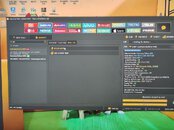
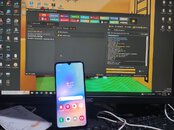
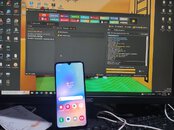
1. open unlocktool
2. select A05s
3. connect EDL wire and press volume up 15 times
4. remove EDL wire and connect the normal wire, after u connect the normal wire, the COM port will be connected.
5. click (EDL) erase frp then wait until doneIMG_0173.jpeg

IMG_0176.jpeg

IMG_0173.jpeg
 
Last edited by a moderator:
1. open unlocktool 2. select A05s 3. connect EDL wire and press volume up 15 times 4. remove EDL wire and connect the normal wire, after u connect the normal wire, the COM port will be connected. 5. click (EDL) erase frp then wait until doneView attachment 31892
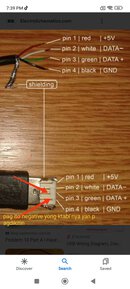
boss pd malaman paano DIY mo edl cable mo tanx..
 
To
balatan mo cable mo idol pagdikitin mo lang green at black panuorin mo sa YT boss
Be easy, tester mo lang kung saan yong negative wire, taz idikit muna sa ktabi nyang connection. D kasi lahat ng wire red at black yong gamit
boss pd malaman paano DIY mo edl cable mo tanx..
 

Attachments

  • IMG_20240114_194712.jpg
    IMG_20240114_194712.jpg
    93.4 KB · Views: 68
Back
Top