samsung andriod gt-i5503 code draw pattern done
problem: draw pattern hindi po alam
tools and software needed:
usb pang 5310 puwde na po
at odin multi downloader 4.28
at flashfile galing ng z3x support
need flashfile
I5503DDJG3_PDA_CL419538.tar.md5
procedure:
1. Extract Odin v4.28 and Ops File.zip I5500XXXX.rar
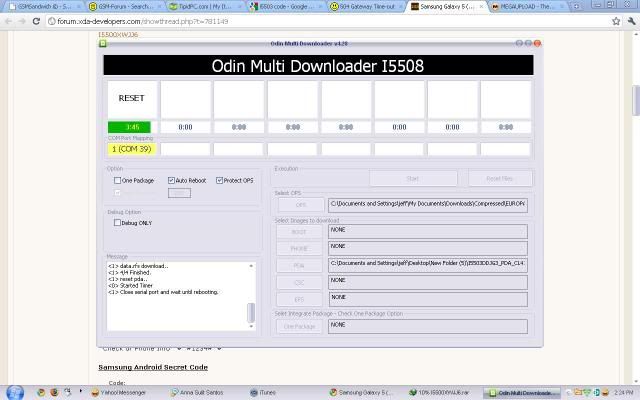
2. Open Odin v4.28,
- Select OPS tab: EUROPA_I5508_v1.0.ops
- Select BOOT tab: I5500XXXXX_BOOTLOADER.tar.md5
- Select PHONE tab: I5500XXXXX_amss_phone_CL462398.tar.md5
- Select PDA tab: I5500XXXXX_PDA_CL500331.tar.md5
- Select CSC tab: I5500XXXXX_CSC_SER_CL498242.tar.md5
- Make sure Auto Reboot & Protect OPS selected in Option tab
*If you have 1 file is this the PDA.tar
You can flash only the pda file.
- Make sure One Package selected in Option tab
3. Turn off phone, remove battery for 5second, put it back
4. Hold "Volume Down, Center button & Power button" in the same time to enter Download Mode
5. Connect to PC with USB cable
6. When the data line and the phone connection is successful, com port shows yellow in Odin
7. Press Start on Odin
8. Waitin & Pray!
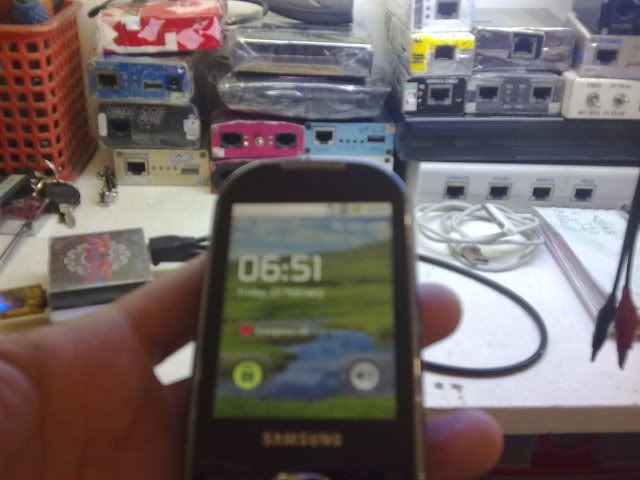
9. PASS, its done!
link ng odin at flashfile po
http://forum.xda-developers.com/showthread.php?t=781149
sample picture:
problem: draw pattern hindi po alam
tools and software needed:
usb pang 5310 puwde na po
at odin multi downloader 4.28
at flashfile galing ng z3x support
need flashfile
I5503DDJG3_PDA_CL419538.tar.md5
procedure:
1. Extract Odin v4.28 and Ops File.zip I5500XXXX.rar
2. Open Odin v4.28,
- Select OPS tab: EUROPA_I5508_v1.0.ops
- Select BOOT tab: I5500XXXXX_BOOTLOADER.tar.md5
- Select PHONE tab: I5500XXXXX_amss_phone_CL462398.tar.md5
- Select PDA tab: I5500XXXXX_PDA_CL500331.tar.md5
- Select CSC tab: I5500XXXXX_CSC_SER_CL498242.tar.md5
- Make sure Auto Reboot & Protect OPS selected in Option tab
*If you have 1 file is this the PDA.tar
You can flash only the pda file.
- Make sure One Package selected in Option tab
3. Turn off phone, remove battery for 5second, put it back
4. Hold "Volume Down, Center button & Power button" in the same time to enter Download Mode
5. Connect to PC with USB cable
6. When the data line and the phone connection is successful, com port shows yellow in Odin
7. Press Start on Odin
8. Waitin & Pray!
9. PASS, its done!
link ng odin at flashfile po
http://forum.xda-developers.com/showthread.php?t=781149
sample picture:


