Samsung Anycall SHW-A250K Flash Firmware and Unlock***[Reference]
Problem:
Need to Unlock (But firmware not supported for Unlock)
Need to Flash Firmware (Download Firmware from Support)
Firmware Used: (SHW-A250K_DJ28_FSRebuild.oct)
Tools:
Octopus Box (Samsung Activated)
KH4500 Usb Cable
Procedure:
1. Open Octopus Samsung Soft
2. Go to Samsung Qualcomm Tab
3. Select Model (SHW-A250K)
4. Connect Phone in Normal mode
5. Install Drivers
6. Click Read Info
7. Back Up NVM for safety
8. Click Unlock with current version (But got error, Firmware not supported for unlock)
9. So Need to Flash with Firmware on support (Download firmware from support)
10. Flash the phone wait till finish
11. After Flash the phone will reboot and setup it self automatically
12. After phone boot ups normally click read info
13.Then Click Unlock
14. wait till Finished and your done..
NOTE: Use sim card with registered # on it.. If not Use "MOTOROLA or BLACKBERRY" phone to register # of sim...
Screen Capture:
Unlocking Error Firmware not Supported for unlock

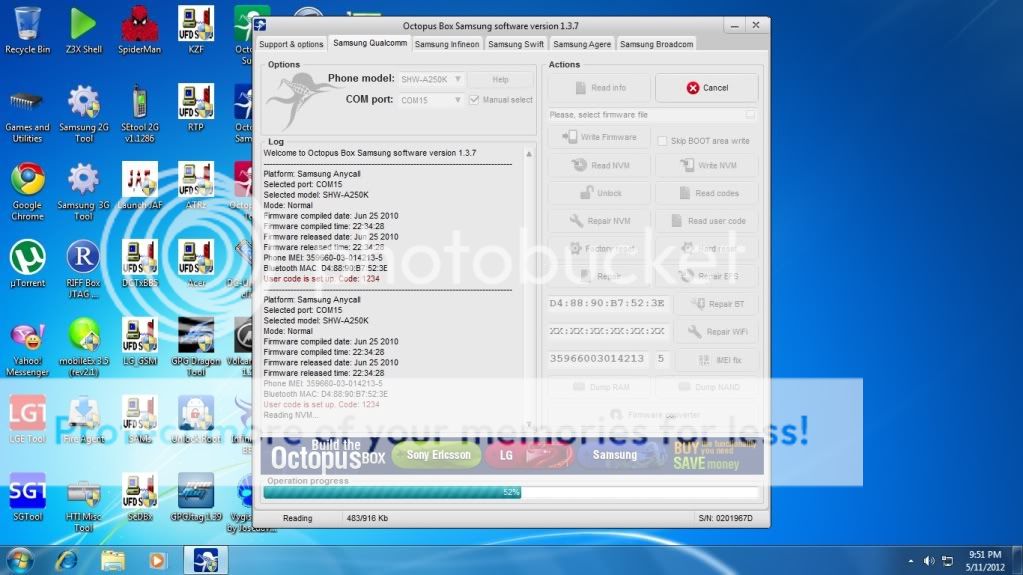
Reading NVM for safety
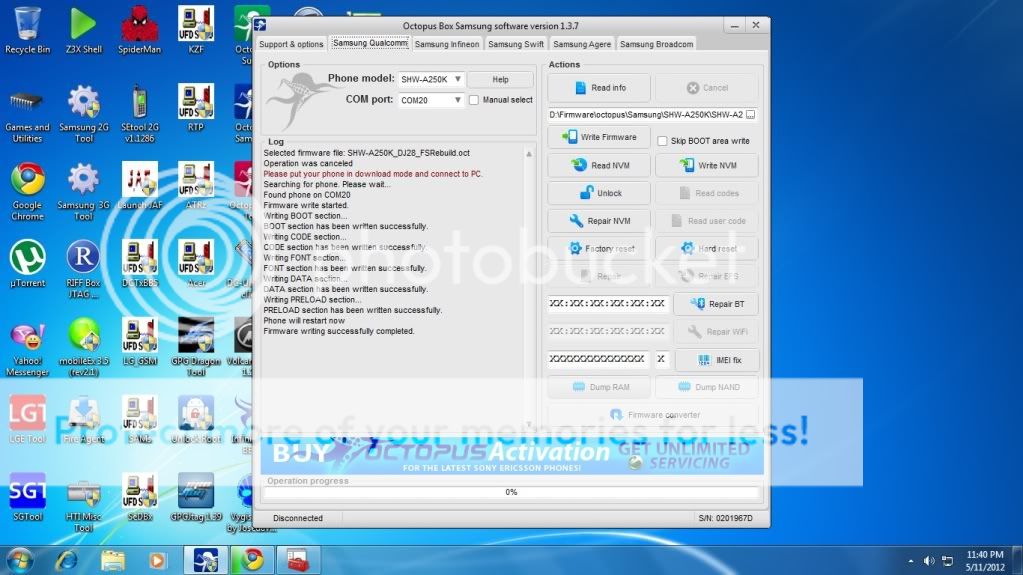
Flashing firmware
Unlocking

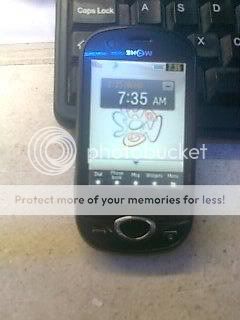
Done
Problem:
Need to Unlock (But firmware not supported for Unlock)
Need to Flash Firmware (Download Firmware from Support)
Firmware Used: (SHW-A250K_DJ28_FSRebuild.oct)
Tools:
Octopus Box (Samsung Activated)
KH4500 Usb Cable
Procedure:
1. Open Octopus Samsung Soft
2. Go to Samsung Qualcomm Tab
3. Select Model (SHW-A250K)
4. Connect Phone in Normal mode
5. Install Drivers
6. Click Read Info
7. Back Up NVM for safety
8. Click Unlock with current version (But got error, Firmware not supported for unlock)
9. So Need to Flash with Firmware on support (Download firmware from support)
10. Flash the phone wait till finish
11. After Flash the phone will reboot and setup it self automatically
12. After phone boot ups normally click read info
13.Then Click Unlock
14. wait till Finished and your done..
NOTE: Use sim card with registered # on it.. If not Use "MOTOROLA or BLACKBERRY" phone to register # of sim...
Screen Capture:
Unlocking Error Firmware not Supported for unlock
Reading NVM for safety
Flashing firmware
Unlocking
Done