
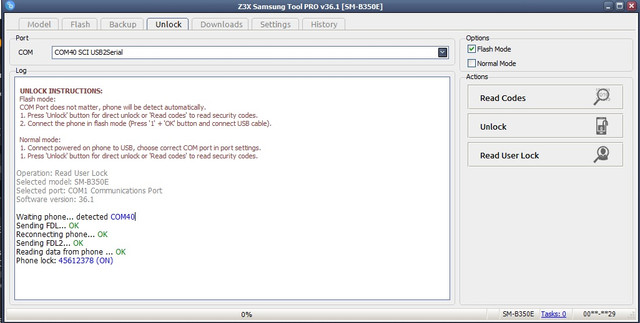
READ USER CODE INSTRUCTIONS:
Flash mode connections.
COM Port does not matter, phone will be detect automatically.
1. Press 'Unlock' button for direct unlock or 'Read codes' to read security codes.
2. Connect the phone in flash mode (Press '1' + 'OK' button and connect USB cable).
Operation: Read User Lock
Selected model: SM-B350E
Selected port: COM1 Communications Port
Software version: 36.1
Waiting phone... detected COM40
Sending FDL... OK
Reconnecting phone... OK
Sending FDL2... OK
Reading data from phone ... OK
Phone lock: 45612378 (ON)
Done with Samsung Tool PRO v.36.1