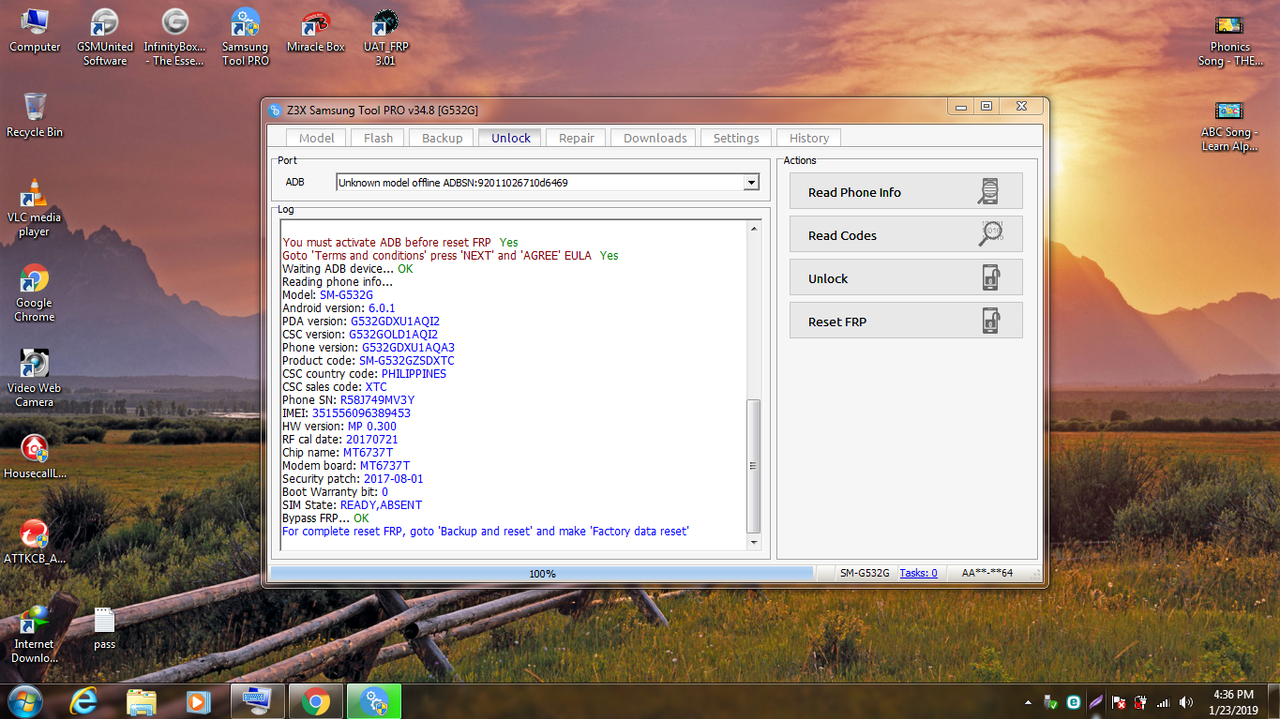
step 1
download ang sboot
file; https://www.4shared.com/archive/dGiBRonnee/G532G_Sboot_By_D-Quick_Solutio.html
2.open odin and flash nyo si nadownload nyo.
gaya nito.
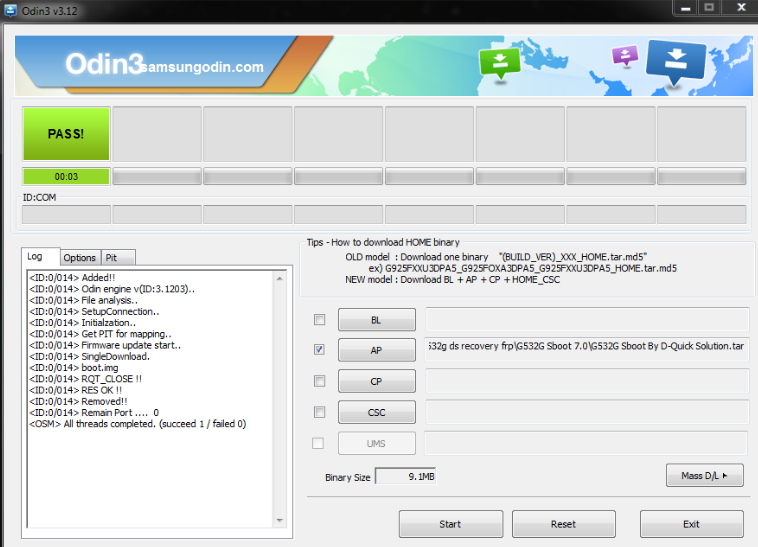
3.pag tapos ng flash hardreset nyo ang phone
at salang sa z3x o kahit saan na pwd sya kasi
open na adb nya.
gaya nito.
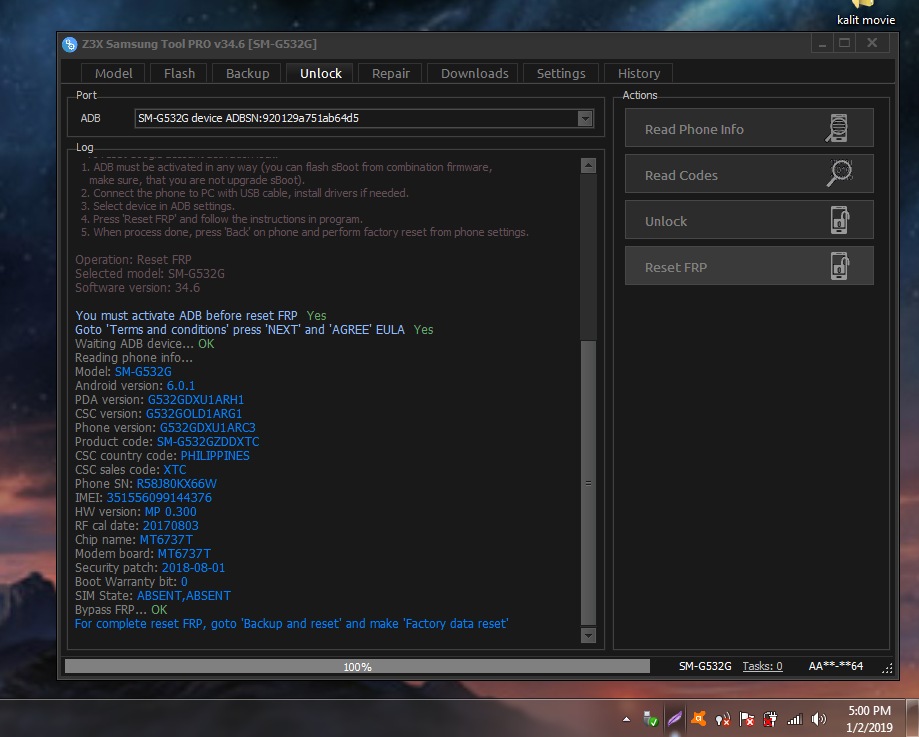
sana matulongan kayo ng post na ito
salamat sa pag view.
hit narin ng thanks.
download ang sboot
file; https://www.4shared.com/archive/dGiBRonnee/G532G_Sboot_By_D-Quick_Solutio.html
2.open odin and flash nyo si nadownload nyo.
gaya nito.
3.pag tapos ng flash hardreset nyo ang phone
at salang sa z3x o kahit saan na pwd sya kasi
open na adb nya.
gaya nito.
Code:
UNLOCK INSTRUCTIONS:
    Direct unlock:
    Phone must be rooted!
  If the software can't root the phone automatically,
  then you must root your device manually.
  1. Power on the phone.
  2. Tap 7 times on 'Build number' in 'Settings'-'About phone' to enable 'Developer options',
     go to 'Settings'-'Developer options' and enable 'USB debugging'.
  3. Connect the phone to PC with USB cable, install drivers if needed.
  4. Select device in ADB settings.
  5. Press 'Unlock' button and select 'New Unlock' for direct unlock.

    To read security codes (without root permissions):
  1. Power on the phone.
  2. Tap 7 times on 'Build number' in 'Settings'-'About phone' to enable 'Developer options',
     go to 'Settings'-'Developer options' and enable 'USB debugging'.
  3. Connect the phone to PC with USB cable, install drivers if needed.
  4. Select device in ADB settings.
  5. Press 'Read codes' button to read security codes.

    To reset Google account activation lock:
  1. ADB must be activated in any way (you can flash sBoot from combination firmware,
     make sure, that you are not upgrade sBoot).
  2. Connect the phone to PC with USB cable, install drivers if needed.
  3. Select device in ADB settings.
  4. Press 'Reset FRP' and follow the instructions in program.
  5. When process done, press 'Back' on phone and perform factory reset from phone settings.

Operation: Reset FRP
Selected model: SM-G532G
Software version: 34.6

You must activate ADB before reset FRP  Yes
Goto 'Terms and conditions' press 'NEXT' and 'AGREE' EULA  Yes
Waiting ADB device... OK
Reading phone info...
Model: SM-G532G
Android version: 6.0.1
PDA version: G532GDXU1ARH1
CSC version: G532GOLD1ARG1
Phone version: G532GDXU1ARC3
Product code: SM-G532GZDDXTC
CSC country code: PHILIPPINES
CSC sales code: XTC
Phone SN: R58J80KX66W
IMEI: 351556099144376
HW version: MP 0.300
RF cal date: 20170803
Chip name: MT6737T
Modem board: MT6737T
Security patch: 2018-08-01
Boot Warranty bit: 0
SIM State: ABSENT,ABSENT
Bypass FRP... OK
For complete reset FRP, goto 'Backup and reset' and make 'Factory data reset'

Done with Samsung Tool PRO v.34.6salamat sa pag view.
hit narin ng thanks.