
Samsung Galaxy J5 FRP
Install Samsung USB Driver for Mobile phones
Set your phone into Download Mode
a. Power off
b. Press Volume + Home + Power button
DOWNLOAD Open HARE!!
installation password:nasa tatsulok
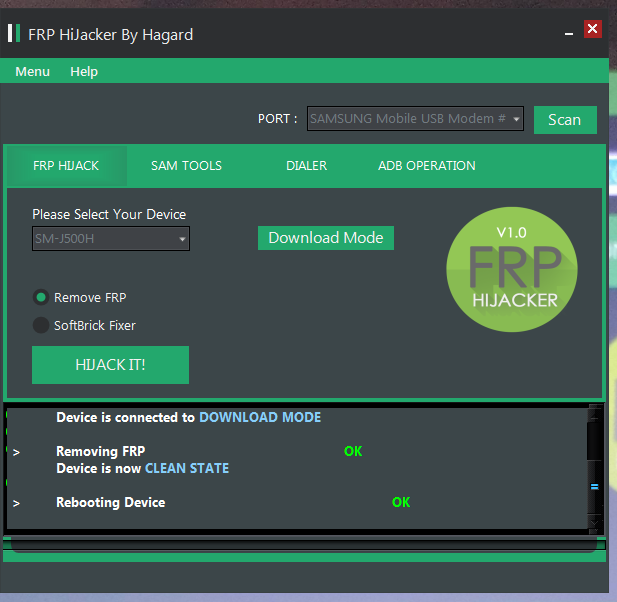
Connect USB Cable and in PORT Select your detected phone.
On 'Please Select your device' choose SM-J500H
Select Remove FRP
Click HIJACK IT! Button.
Wait until rebooting device OK and DONE!
Install Samsung USB Driver for Mobile phones
Set your phone into Download Mode
a. Power off
b. Press Volume + Home + Power button
DOWNLOAD Open HARE!!
installation password:nasa tatsulok
Connect USB Cable and in PORT Select your detected phone.
On 'Please Select your device' choose SM-J500H
Select Remove FRP
Click HIJACK IT! Button.
Wait until rebooting device OK and DONE!