
Samsung GT-C3303k Champ Samsung Logo only Done via Free Software
Status

Tools
1. Flasher: C3300K_Flash_loader_7.4.4_SSG_v0.5
2. Firmware: C3303KJPJI2
3. MicroUSB
4. C3303k Samsung Champ Phone
5. Prepare Phone Driver
Procedure
1. Turn OFF Phone.
2. Connect MicroUSB to Champ.
3. Press Volume Down + Lock key then connect USB Cable to PC
4. Install driver (Driver can be found on C3300K_Flash_loader_7.4.4_SSG_v0.5 folder, 52xdfu)(Manual install it using device manager)
When installed, get ready.
Re flashing
1. Run Flash loader 7.4.4_SSG_v0.5.exe
2. Click SET MODEL -> Select C3300_LIBRE_Setting_v02.mdl

3. Check Application binary file -> browse for C3300KJP.ptt (From the C3303KJPJI2 folder)
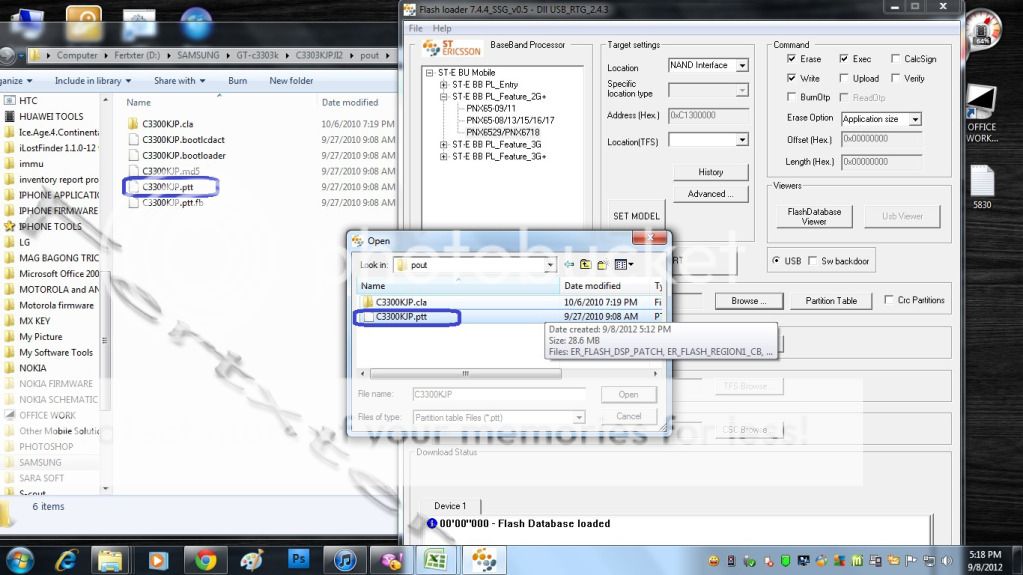
4. Check TFS File -> Browse for C3303KJPJI2.tfs
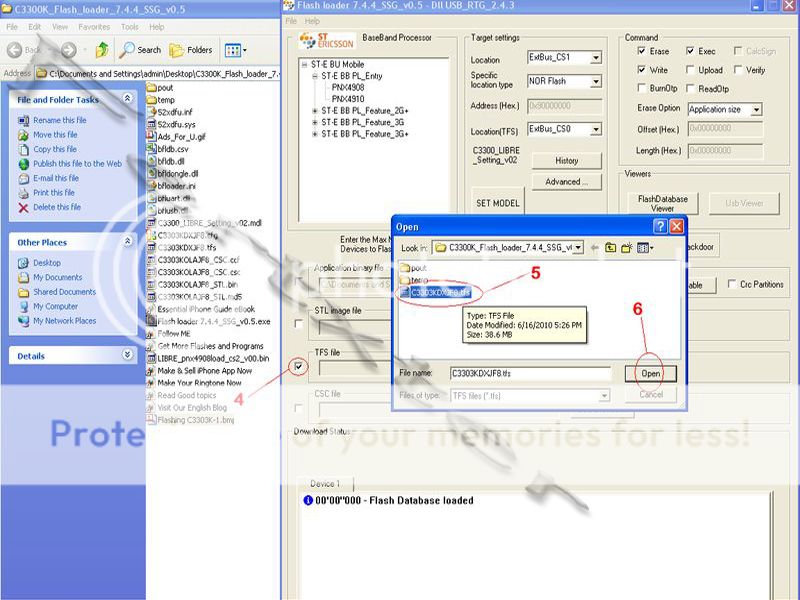
5. Check CSC File -> Browse for C3303KOJPJI1.csc

6. Click Start
7. Turn OFF Phone.
8. Connect MicroUSB to Champ.
9. Press Volume Down + Lock key then connect USB Cable to PC
10. Wait the flashing finished.
(During the Flashing, your phone is off, then when the flashing is finish, you can see the your phone is charging.
11. Remove from USB. Turn on the Phone,
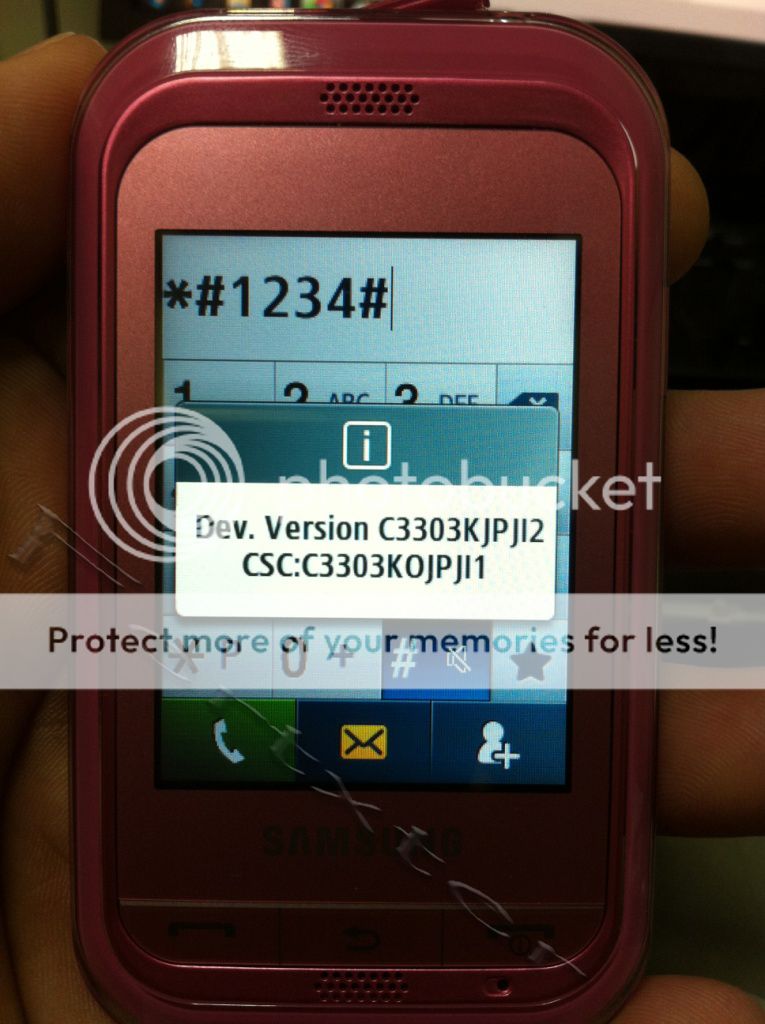
My Finish Product

Thanks for the view
Status
Tools
1. Flasher: C3300K_Flash_loader_7.4.4_SSG_v0.5
2. Firmware: C3303KJPJI2
3. MicroUSB
4. C3303k Samsung Champ Phone
5. Prepare Phone Driver
Procedure
1. Turn OFF Phone.
2. Connect MicroUSB to Champ.
3. Press Volume Down + Lock key then connect USB Cable to PC
4. Install driver (Driver can be found on C3300K_Flash_loader_7.4.4_SSG_v0.5 folder, 52xdfu)(Manual install it using device manager)
When installed, get ready.
Re flashing
1. Run Flash loader 7.4.4_SSG_v0.5.exe
2. Click SET MODEL -> Select C3300_LIBRE_Setting_v02.mdl
3. Check Application binary file -> browse for C3300KJP.ptt (From the C3303KJPJI2 folder)
4. Check TFS File -> Browse for C3303KJPJI2.tfs
5. Check CSC File -> Browse for C3303KOJPJI1.csc
6. Click Start
7. Turn OFF Phone.
8. Connect MicroUSB to Champ.
9. Press Volume Down + Lock key then connect USB Cable to PC
10. Wait the flashing finished.
(During the Flashing, your phone is off, then when the flashing is finish, you can see the your phone is charging.
11. Remove from USB. Turn on the Phone,
My Finish Product
Thanks for the view
