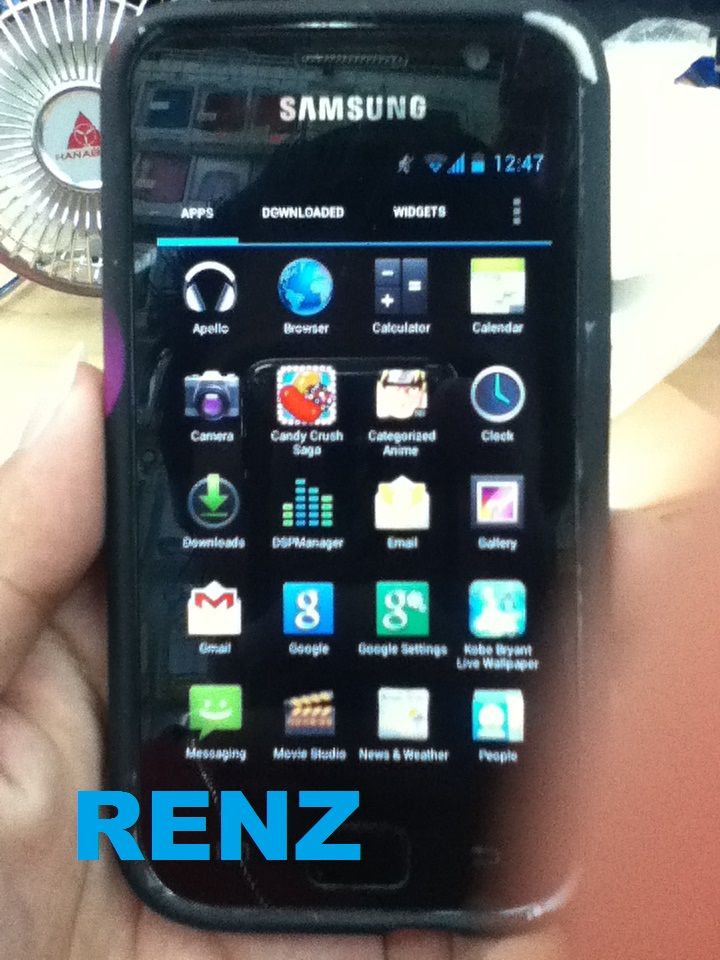
i9000 gingerbread upgrade to jellybean done
screenshot


instruction
you must root first your i9000 before using this step
Step 1 - Download Android 4.1.2 X-Bean Jelly Bean ROM for Galaxy S on the computer.
Step 2 - Connect and mount your Galaxy S USB mass storage on the computer with original USB cable.
Step 3 - Copy the downloaded Android 4.1.2 X-Bean ROM zip file to the root folder on the phone's SD card.
Step 4 - Power off the phone and disconnect its USB cable.
Step 5 - Now, boot into CWM Recovery mode by pressing and holding Volume Up, Home and Power buttons together.
Step 6 - In CWM Recovery, perform a full data wipe first. Then navigate to Flash zip from SD card option and hit Power button to select it.
Step 7 - Tap the Power button again and click Choose zip from SD card.
Step 8 - Use volume keys to navigate to the Android 4.1.2 ROM zip file copied to SD card in step 3. Now, select it by tapping the Power button. Confirm ROM installation on next screen and the installation should begin..
Step 9 - Once the ROM is installed, hit Go Back and reboot the phone by tapping Reboot System Now in the recovery menu. Since, this is the first reboot after installation, it might take about 5 minutes to complete.
Android 4.1.2 based X-Bean Jelly Bean ROM is now successfully installed on the device, Galaxy S I9000. Go to Settings > About phone to verify the firmware version installed.
FIRMWARE
screenshot
instruction
you must root first your i9000 before using this step
Step 1 - Download Android 4.1.2 X-Bean Jelly Bean ROM for Galaxy S on the computer.
Step 2 - Connect and mount your Galaxy S USB mass storage on the computer with original USB cable.
Step 3 - Copy the downloaded Android 4.1.2 X-Bean ROM zip file to the root folder on the phone's SD card.
Step 4 - Power off the phone and disconnect its USB cable.
Step 5 - Now, boot into CWM Recovery mode by pressing and holding Volume Up, Home and Power buttons together.
Step 6 - In CWM Recovery, perform a full data wipe first. Then navigate to Flash zip from SD card option and hit Power button to select it.
Step 7 - Tap the Power button again and click Choose zip from SD card.
Step 8 - Use volume keys to navigate to the Android 4.1.2 ROM zip file copied to SD card in step 3. Now, select it by tapping the Power button. Confirm ROM installation on next screen and the installation should begin..
Step 9 - Once the ROM is installed, hit Go Back and reboot the phone by tapping Reboot System Now in the recovery menu. Since, this is the first reboot after installation, it might take about 5 minutes to complete.
Android 4.1.2 based X-Bean Jelly Bean ROM is now successfully installed on the device, Galaxy S I9000. Go to Settings > About phone to verify the firmware version installed.
FIRMWARE