
- Joined
- Jan 22, 2019
- Messages
- 131
- Reaction score
- 45
- Points
- 1
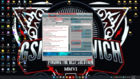
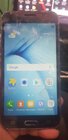
LOG's
Code:
Work ID: FFFFFFFFFFFFFFFF
Platform: Samsung Android
Selected port: COM3
Selected model: SM-J320VPP
Operation: Reset FRP - UserData
Reset FRP/ Reactivation lock operation for
SM-J320VPP will delete all user data on the
phone (contacts, pictures and others)!

NOTE: You can reset FRP/ Reactivation
without losing user data via Factory Reset
FRP/ Reactivation service.
Connecting to server...
Connecting to server...Ok!
Checking resource files...
Resource files already downloaded.
Please put the phone into Download Mode and
connect USB cable.
To put SM-J320VPP into Download Mode, You
have to perform the following steps:
1. Reconnect the battery.
2. Press and hold "Volume-" + "Home" +
"Power ON" keys.
3. When phone turns on, press "Volume+"
key.
Waiting for phone...
Firmware write started.
Writing Custom section...
Custom section has been written successfully.
FRP lock is successfully reseted!
Wait 3-4 min then goto "Menu -> Settings ->
Backup and reset" and make "Factory data
reset"
Performed by 3.0.7.2 Software version.
Br.
