
Touch Screen Problem after update sa 8.1
System Status: Official
FRP Lock: ON
OEM Lock: ON
Bypass via Miracle Successfull raw
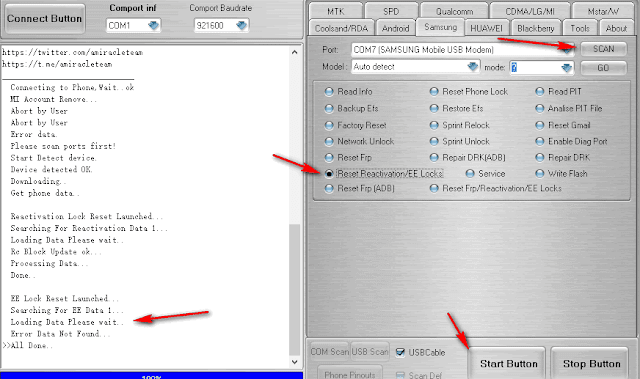
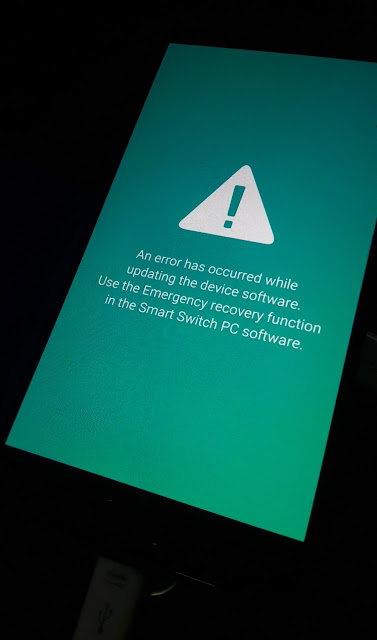
Read PIT via Z3X DONE
Failed ayaw maBypass ang FRP
Ano pa pwede pang gawin mga bossing
System Status: Official
FRP Lock: ON
OEM Lock: ON
Bypass via Miracle Successfull raw
Read PIT via Z3X DONE
FLASH INSTRUCTIONS:
1. Choose correct flash file(s).
2. If you have PIT file chosen, then you must check 'Repartition' option.
3. Check flashing options if needed (Repartition, EFS clear, Boot update).
4. Power on the phone in download mode (turn off phone, press vol.down + home + power).
5. Connect the phone to PC with USB cable, install drivers if needed.
6. Press 'Flash' button.
Operation: Flash
Selected model: SM-J730G
Software version: 33.8
Searching USB Flash interface... COM121 detected
Setup connection... OK
Reading PIT file... done
Saved to C:\Program Files (x86)\Z3X\Backup\Pit\SM-J730G_2-10-2018_9-55-30.pit
Done with Samsung Tool PRO v.33.8
Failed ayaw maBypass ang FRP
Ano pa pwede pang gawin mga bossing


