SAM S3850 Auto Reboot: Done [Reference]
Hindi sa lahat ng pagkakataon ay mangangailangan tayo ng BOX para maka-repair. Minsan, ang kailangan lamang ay TIYAGA, MAGSALIKSIK, UMUNAWA at SIMPLENG GAMIT.
At katulad nito, SAM S3850 Auto Reboot, nagawa sa pamamagitan ng mga sumusunod:
1- Internet Connection
2- Cable ng Nokia 5310 (2700c, 5130c, 5220 o kahit anong model basta pareho ang USB connector).
Procedure:
1- I-download ang mga sumusunod na softwares
S3850 Firmware
SAM Multiloader Tool
Samsung USB Driver
2- Kapag na-idownload na ang lahat ng kakailanganin, unahing i-install ang sam usb driver
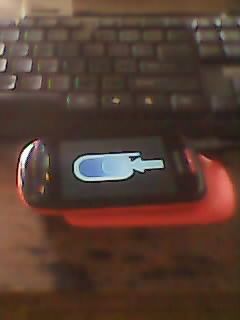
3- Kunin ang unit at i-press ang Volume up, Call button at Power button at the same time. Ganito ang magiging itsura nyan:
4- Siguraduhin properly detected ang unit sa device manager gaya ng makikita sa larawan:
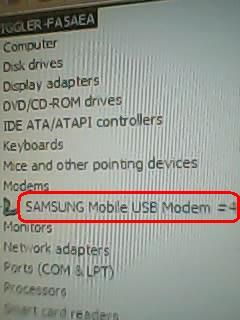
Tandaan na isang dahilan kaya hindi mai-flash ang unit ay dahil sa hindi pa ito narerecognize ng pc mo kaya importante ang sam usb driver sa operation na ito.
5- I-Set up ang flash files na gaya ng makikita sa larawan:

Sa multiloader, i-check ang "BRCM2133" at "Full Download" para mag-highlight ang BOOT Tab.
6- After na maikasa ang mga files, click download at magpatugtog ng kanta habang naghihintay matapos ang programming:
AHAHAHAHAHAHAHAH
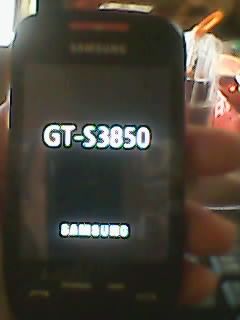
7- Flashing Finished:


Problem Solved!
Hindi sa lahat ng pagkakataon ay mangangailangan tayo ng BOX para maka-repair. Minsan, ang kailangan lamang ay TIYAGA, MAGSALIKSIK, UMUNAWA at SIMPLENG GAMIT.
At katulad nito, SAM S3850 Auto Reboot, nagawa sa pamamagitan ng mga sumusunod:
1- Internet Connection
2- Cable ng Nokia 5310 (2700c, 5130c, 5220 o kahit anong model basta pareho ang USB connector).
Procedure:
1- I-download ang mga sumusunod na softwares
S3850 Firmware
SAM Multiloader Tool
Samsung USB Driver
2- Kapag na-idownload na ang lahat ng kakailanganin, unahing i-install ang sam usb driver
3- Kunin ang unit at i-press ang Volume up, Call button at Power button at the same time. Ganito ang magiging itsura nyan:
4- Siguraduhin properly detected ang unit sa device manager gaya ng makikita sa larawan:
Tandaan na isang dahilan kaya hindi mai-flash ang unit ay dahil sa hindi pa ito narerecognize ng pc mo kaya importante ang sam usb driver sa operation na ito.
5- I-Set up ang flash files na gaya ng makikita sa larawan:
Sa multiloader, i-check ang "BRCM2133" at "Full Download" para mag-highlight ang BOOT Tab.
6- After na maikasa ang mga files, click download at magpatugtog ng kanta habang naghihintay matapos ang programming:
AHAHAHAHAHAHAHAH
7- Flashing Finished:
Problem Solved!

