
UNLOCK INSTRUCTIONS for Z3X
Phone must be rooted!
If the software can't root the phone automatically,
then you must root your device manually.
1. Power on the phone.
2. Enable "USB debugging" in "Settings"-"Developer options" for Android 4.0 - 4.1.2 or
tap 7 times on "Build number" in "Settings"-"About phone" to enable "Developer options" in Android 4.2+.
3. Connect the phone to PC with USB cable, install drivers if needed.
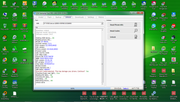
4. Select device in ADB
sana makatulong...
Phone must be rooted!
If the software can't root the phone automatically,
then you must root your device manually.
1. Power on the phone.
2. Enable "USB debugging" in "Settings"-"Developer options" for Android 4.0 - 4.1.2 or
tap 7 times on "Build number" in "Settings"-"About phone" to enable "Developer options" in Android 4.2+.
3. Connect the phone to PC with USB cable, install drivers if needed.
4. Select device in ADB
sana makatulong...
Last edited by a moderator:
