
Samsung S5 / G900A hardreset
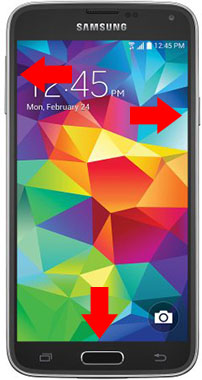
Press and hold the Volume Up + Home + Power button, until you see Samsung logo.
Step 2
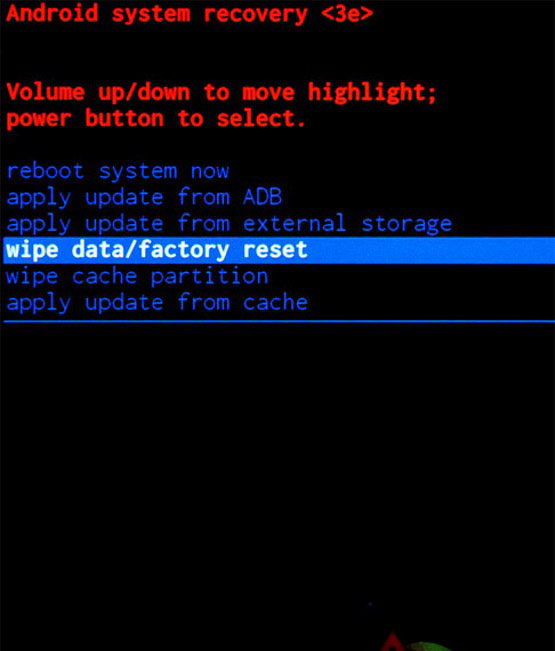
From the Android Recovery Mode menu select “wipe data / factory reset“. Use the Volume buttons to navigate and the Power button to confirm.
Step 3
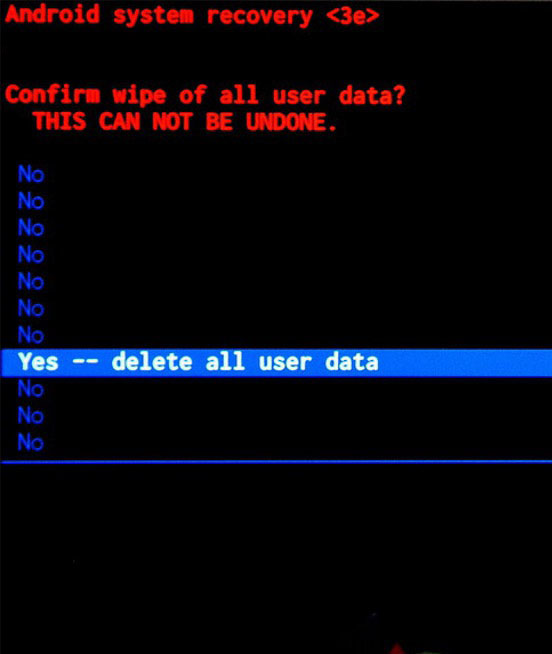
On the next screen, choose “Yes — delete all user data” to confirm the whole operation.
Step 4
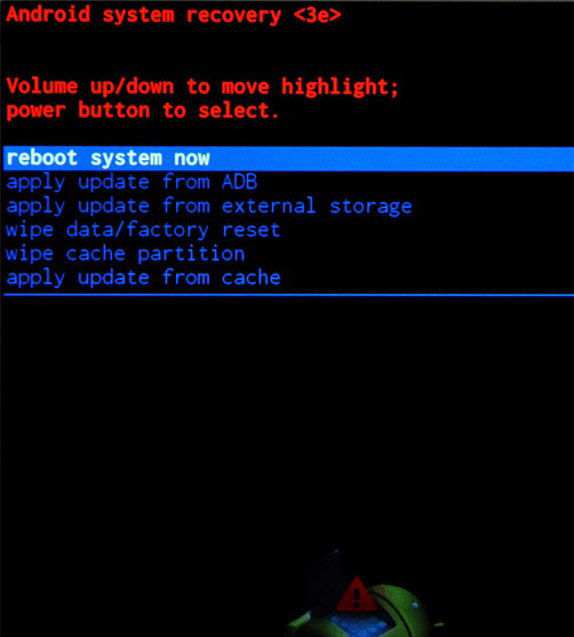
Select the “reboot system now” to reboot your device..
Congratulations! The device has been restored to factory defaults.
Press and hold the Volume Up + Home + Power button, until you see Samsung logo.
Step 2
From the Android Recovery Mode menu select “wipe data / factory reset“. Use the Volume buttons to navigate and the Power button to confirm.
Step 3
On the next screen, choose “Yes — delete all user data” to confirm the whole operation.
Step 4
Select the “reboot system now” to reboot your device..
Congratulations! The device has been restored to factory defaults.
Last edited: