
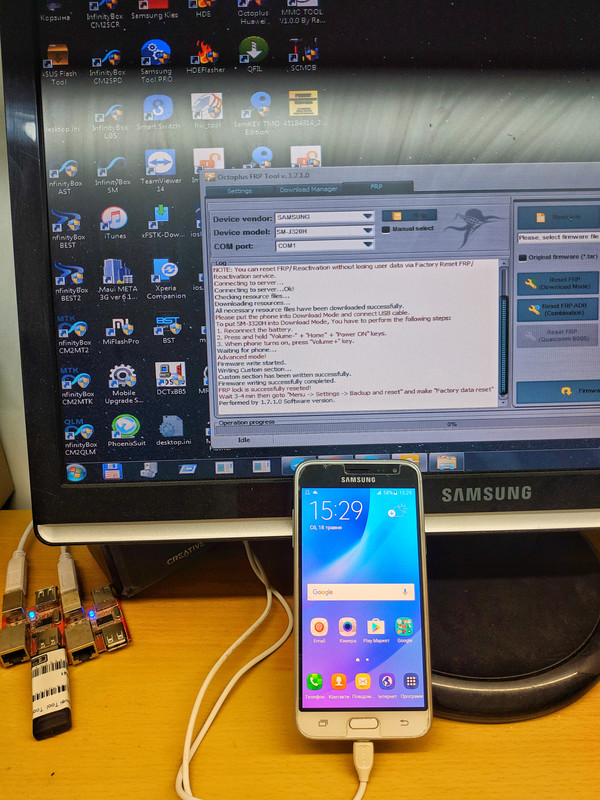
SAMSUNG SM-J320H Reset FRP Done
Code:
Welcome to Octoplus FRP Tool v.1.7.1.0
Platform: SAMSUNG
Selected model: SM-J320H
Reset FRP/ Reactivation lock operation for SM-J320H will delete all user data on the phone (contacts, pictures and others)!
NOTE: You can reset FRP/ Reactivation without losing user data via Factory Reset FRP/ Reactivation service.
Connecting to server...
Connecting to server...Ok!
Checking resource files...
Downloading resources...
All necessary resource files have been downloaded successfully.
Please put the phone into Download Mode and connect USB cable.
To put SM-J320H into Download Mode, You have to perform the following steps:
1. Reconnect the battery.
2. Press and hold "Volume-" + "Home" + "Power ON" keys.
3. When phone turns on, press "Volume+" key.
Waiting for phone...
Advanced mode!
Firmware write started.
Writing Custom section...
Custom section has been written successfully.
Firmware writing successfully completed.
FRP lock is successfully reseted!
Wait 3-4 min then goto "Menu -> Settings -> Backup and reset" and make "Factory data reset"
Performed by 1.7.1.0 Software version.
Code:
Welcome to Octoplus FRP Tool v.1.7.1.0
Platform: SAMSUNG
Selected model: SM-J320H
Reset FRP/ Reactivation lock operation for SM-J320H will delete all user data on the phone (contacts, pictures and others)!
NOTE: You can reset FRP/ Reactivation without losing user data via Factory Reset FRP/ Reactivation service.
Connecting to server...
Connecting to server...Ok!
Checking resource files...
Downloading resources...
All necessary resource files have been downloaded successfully.
Please put the phone into Download Mode and connect USB cable.
To put SM-J320H into Download Mode, You have to perform the following steps:
1. Reconnect the battery.
2. Press and hold "Volume-" + "Home" + "Power ON" keys.
3. When phone turns on, press "Volume+" key.
Waiting for phone...
Advanced mode!
Firmware write started.
Writing Custom section...
Custom section has been written successfully.
Firmware writing successfully completed.
FRP lock is successfully reseted!
Wait 3-4 min then goto "Menu -> Settings -> Backup and reset" and make "Factory data reset"
Performed by 1.7.1.0 Software version.