- Joined
- Nov 24, 2014
- Messages
- 85
- Reaction score
- 0
- Points
- 1
share ko lang po etong bwenamano ko lalo na po sa katulad kong newbie
sgh-i317m unlock done new security 4.4.2
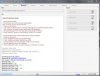
open z3x select correct model select correct port
UNLOCK INSTRUCTIONS:
Micro-USB cable:
1. Phone must be powered on.
2. Type *#0808# and select 'DM+MODEM+ADB'.
3. Type *#9090# and choose USB (or 'DM/DUN over HSIC').
4. Reboot phone.
5. Connect USB cable, install drivers if needed.
6. Select Samsung diagnostic port in port settings.
7. Press 'Unlock' button for direct unlock.
read qnc po muna for safety para iwas mawala ung imei or serial (l:0
tick direct unlock wait until your done pera
here some pics
sgh-i317m unlock done new security 4.4.2
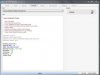
open z3x select correct model select correct port
UNLOCK INSTRUCTIONS:
Micro-USB cable:
1. Phone must be powered on.
2. Type *#0808# and select 'DM+MODEM+ADB'.
3. Type *#9090# and choose USB (or 'DM/DUN over HSIC').
4. Reboot phone.
5. Connect USB cable, install drivers if needed.
6. Select Samsung diagnostic port in port settings.
7. Press 'Unlock' button for direct unlock.
read qnc po muna for safety para iwas mawala ung imei or serial (l:0
tick direct unlock wait until your done pera
here some pics