
- Joined
- Jan 19, 2016
- Messages
- 625
- Reaction score
- 96
- Points
- 81
- Location
- BUHANGIN GRAND CITYGATE DAVAO CITY
SM-A300f ver 5.0.2 easy unlock
Requirements:
z3x pro
UNLOCK INSTRUCTIONS:
Micro-USB cable:
1. Phone must be powered on.
2. Type *#0808# and select 'DM+MODEM+ADB'.
3. Type *#9090# and choose 'DM/DUN over HSIC' (ignore it, if it's not available).
4. Reboot phone.
Or use 'Activate Diag' function from 'Repair' tab.
5. Connect USB cable, install drivers if needed.
6. Select Samsung diagnostic port in port settings.
7. Press 'Unlock' button for direct unlock.
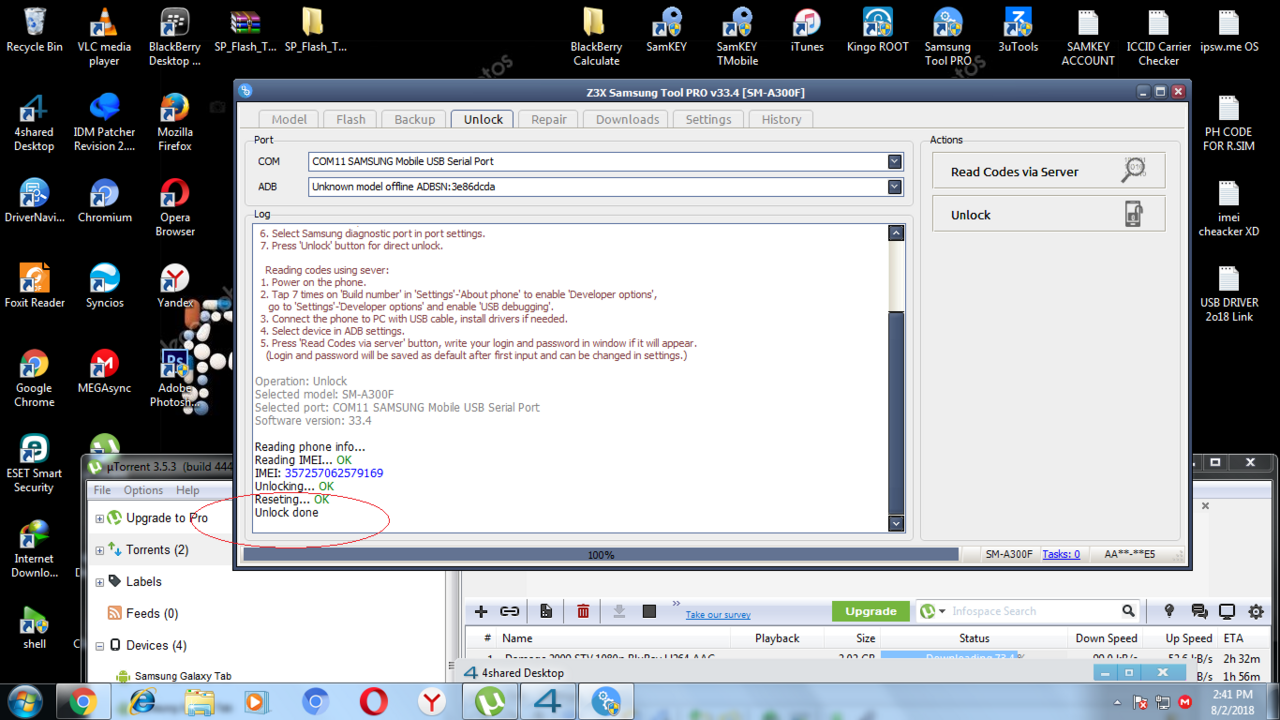
done.
Requirements:
z3x pro
UNLOCK INSTRUCTIONS:
Micro-USB cable:
1. Phone must be powered on.
2. Type *#0808# and select 'DM+MODEM+ADB'.
3. Type *#9090# and choose 'DM/DUN over HSIC' (ignore it, if it's not available).
4. Reboot phone.
Or use 'Activate Diag' function from 'Repair' tab.
5. Connect USB cable, install drivers if needed.
6. Select Samsung diagnostic port in port settings.
7. Press 'Unlock' button for direct unlock.
done.
Last edited by a moderator: