
share lang mga sir...
search ko dito mukhang wala pa nagawa sa ganitong version...marami sa 5.0 version..
pero sa 6.0.1 mukhang wala pa po paki correct nalang po kung meron...
no need downgrade...
just root...
eto po
http://www.4shared.com/rar/SQ5rXZA_ce/CF-Auto-Root-kltespr-kltespr-s.html
password protected pm or used mahiwagang buttom
after root click unlock domestic sa z3x...
logs
UNLOCK INSTRUCTIONS:
Direct Unlock:
1. Phone must be powered on.
2. Type *#0808# and select 'DM+MODEM+ADB'.
3. Type *#9090# and choose 'DM/DUN over HSIC'.
4. Reboot phone.
Or use 'Activate Diag' function from 'Repair' tab.
5. Connect USB cable, install drivers if needed.
6. Select Samsung diagnostic port in port settings.
7. Press 'Unlock' button and select 'Unlock' option.
Domestic Unlock:
1. Power on the phone.
2. Enable 'USB debugging' in 'Settings'-'Developer options',
tap 7 times on 'Build number' in 'Settings'-'About phone' to enable 'Developer options'.
3. Connect the phone to PC with USB cable, install drivers if needed.
5. Select device in ADB settings.
6. Press 'Unlock' button and select 'Domestic unlock' option.
Operation: Read SPC
Selected model: SM-G900P
Selected port: COM3 Z3X BOX Serial Port
Software version: 27.7
Waiting ADB device...
Please, allow USB debugging on phone... Ok
Reading phone info...
Model: SM-G900P
Android version: 6.0.1
Product code: Not Active
Phone version: G900PVPU3CPCA
PDA version: G900PVPU3CPCA
CSC version: G900PSPT3CPCA
CSC country code: USA
CSC sales code: SPR
HW version: G900P.04
Phone SN: 00000000000
Modem board: MSM8974PRO
RF cal date: 2015.05.13
IMEI:
Writing AT RIL... Ok
Initialization AT RIL... root required
Checking Super user right... true
Initialization AT RIL... Ok
Reading SPC... Ok
SPC/MSL code: 045127
Done with Samsung Tool PRO v.27.7
UNLOCK INSTRUCTIONS:
Direct Unlock:
1. Phone must be powered on.
2. Type *#0808# and select 'DM+MODEM+ADB'.
3. Type *#9090# and choose 'DM/DUN over HSIC'.
4. Reboot phone.
Or use 'Activate Diag' function from 'Repair' tab.
5. Connect USB cable, install drivers if needed.
6. Select Samsung diagnostic port in port settings.
7. Press 'Unlock' button and select 'Unlock' option.
Domestic Unlock:
1. Power on the phone.
2. Enable 'USB debugging' in 'Settings'-'Developer options',
tap 7 times on 'Build number' in 'Settings'-'About phone' to enable 'Developer options'.
3. Connect the phone to PC with USB cable, install drivers if needed.
5. Select device in ADB settings.
6. Press 'Unlock' button and select 'Domestic unlock' option.
Operation: Unlock
Selected model: SM-G900P
Selected port: COM3 Z3X BOX Serial Port
Software version: 27.7
Waiting ADB device... Ok
Reading phone info...
Model: SM-G900P
Android version: 6.0.1
Product code: Not Active
Phone version: G900PVPU3CPCA
PDA version: G900PVPU3CPCA
CSC version: G900PSPT3CPCA
CSC country code: USA
CSC sales code: SPR
HW version: G900P.04
Phone SN: 00000000000
Modem board: MSM8974PRO
RF cal date: 2015.05.13
IMEI:
Writing AT RIL... Ok
Initialization AT RIL... root required
Checking Super user right... true
Initialization AT RIL... Ok
Unlocking... Ok
Rebooting phone... Ok
Unlock done
Done with Samsung Tool PRO v.27.7
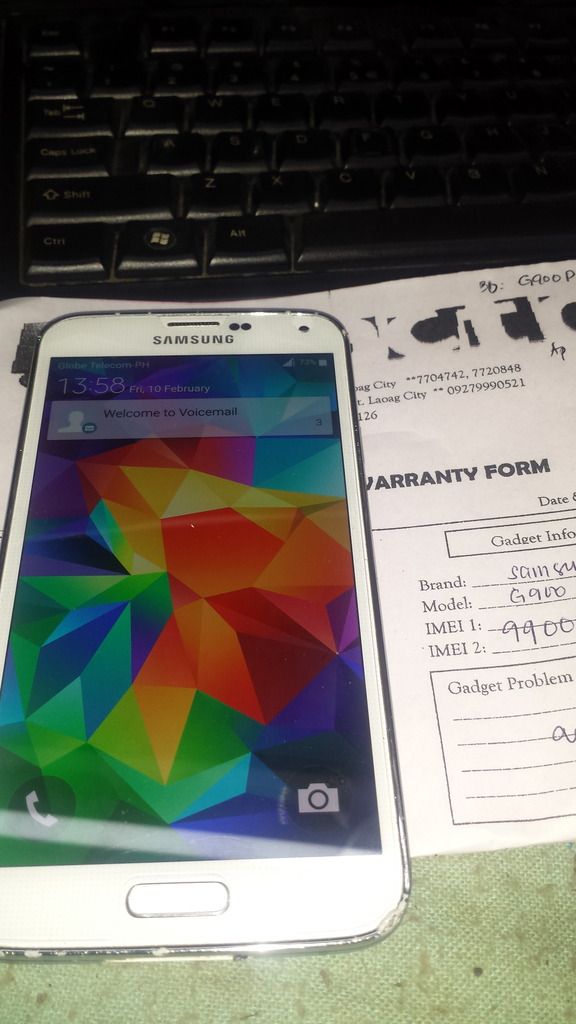
(l:0
lagyan nalang ng apn sa setting para gumana ang 3g...
search ko dito mukhang wala pa nagawa sa ganitong version...marami sa 5.0 version..
pero sa 6.0.1 mukhang wala pa po paki correct nalang po kung meron...
no need downgrade...
just root...
eto po
http://www.4shared.com/rar/SQ5rXZA_ce/CF-Auto-Root-kltespr-kltespr-s.html
password protected pm or used mahiwagang buttom
after root click unlock domestic sa z3x...
logs
UNLOCK INSTRUCTIONS:
Direct Unlock:
1. Phone must be powered on.
2. Type *#0808# and select 'DM+MODEM+ADB'.
3. Type *#9090# and choose 'DM/DUN over HSIC'.
4. Reboot phone.
Or use 'Activate Diag' function from 'Repair' tab.
5. Connect USB cable, install drivers if needed.
6. Select Samsung diagnostic port in port settings.
7. Press 'Unlock' button and select 'Unlock' option.
Domestic Unlock:
1. Power on the phone.
2. Enable 'USB debugging' in 'Settings'-'Developer options',
tap 7 times on 'Build number' in 'Settings'-'About phone' to enable 'Developer options'.
3. Connect the phone to PC with USB cable, install drivers if needed.
5. Select device in ADB settings.
6. Press 'Unlock' button and select 'Domestic unlock' option.
Operation: Read SPC
Selected model: SM-G900P
Selected port: COM3 Z3X BOX Serial Port
Software version: 27.7
Waiting ADB device...
Please, allow USB debugging on phone... Ok
Reading phone info...
Model: SM-G900P
Android version: 6.0.1
Product code: Not Active
Phone version: G900PVPU3CPCA
PDA version: G900PVPU3CPCA
CSC version: G900PSPT3CPCA
CSC country code: USA
CSC sales code: SPR
HW version: G900P.04
Phone SN: 00000000000
Modem board: MSM8974PRO
RF cal date: 2015.05.13
IMEI:
Writing AT RIL... Ok
Initialization AT RIL... root required
Checking Super user right... true
Initialization AT RIL... Ok
Reading SPC... Ok
SPC/MSL code: 045127
Done with Samsung Tool PRO v.27.7
UNLOCK INSTRUCTIONS:
Direct Unlock:
1. Phone must be powered on.
2. Type *#0808# and select 'DM+MODEM+ADB'.
3. Type *#9090# and choose 'DM/DUN over HSIC'.
4. Reboot phone.
Or use 'Activate Diag' function from 'Repair' tab.
5. Connect USB cable, install drivers if needed.
6. Select Samsung diagnostic port in port settings.
7. Press 'Unlock' button and select 'Unlock' option.
Domestic Unlock:
1. Power on the phone.
2. Enable 'USB debugging' in 'Settings'-'Developer options',
tap 7 times on 'Build number' in 'Settings'-'About phone' to enable 'Developer options'.
3. Connect the phone to PC with USB cable, install drivers if needed.
5. Select device in ADB settings.
6. Press 'Unlock' button and select 'Domestic unlock' option.
Operation: Unlock
Selected model: SM-G900P
Selected port: COM3 Z3X BOX Serial Port
Software version: 27.7
Waiting ADB device... Ok
Reading phone info...
Model: SM-G900P
Android version: 6.0.1
Product code: Not Active
Phone version: G900PVPU3CPCA
PDA version: G900PVPU3CPCA
CSC version: G900PSPT3CPCA
CSC country code: USA
CSC sales code: SPR
HW version: G900P.04
Phone SN: 00000000000
Modem board: MSM8974PRO
RF cal date: 2015.05.13
IMEI:
Writing AT RIL... Ok
Initialization AT RIL... root required
Checking Super user right... true
Initialization AT RIL... Ok
Unlocking... Ok
Rebooting phone... Ok
Unlock done
Done with Samsung Tool PRO v.27.7

(l:0
lagyan nalang ng apn sa setting para gumana ang 3g...


