
-Firmware & Tools Needed
-(Sony xperia z ultra c6806) Usb driver
-(Sony xperia z ultra c6806) Firmware
-Password (leonidotech)
-Download and install usb driver of (Sony Xperia Z ulta C6806) click here on how to install usb driver
-Then Extract download firmware and install Sony xperia flashtool
-Locate on drive c name flashtool (Flashtool64.exe) then run as administrator
-Click on Lightning flash button and select flash mode (Bootmode chooser)
-Load download firmware (Source Folder) and select firmware locate (14.6.A.0.368_R2D)
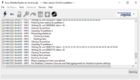
-Just check (Apps_log) and (Userdata) then click Flash
-Hold Volume down and insert usb cable
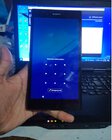
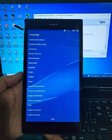
-Wait & Done
-(Sony xperia z ultra c6806) Usb driver
-(Sony xperia z ultra c6806) Firmware
-Password (leonidotech)
-Download and install usb driver of (Sony Xperia Z ulta C6806) click here on how to install usb driver
-Then Extract download firmware and install Sony xperia flashtool
-Locate on drive c name flashtool (Flashtool64.exe) then run as administrator
-Click on Lightning flash button and select flash mode (Bootmode chooser)
-Load download firmware (Source Folder) and select firmware locate (14.6.A.0.368_R2D)
-Just check (Apps_log) and (Userdata) then click Flash
-Hold Volume down and insert usb cable
-Wait & Done