
- Joined
- Apr 9, 2018
- Messages
- 1,801
- Reaction score
- 3,452
- Points
- 741
credits to dev sahril techno
paki test nalang may isa tech naka subok neto
https://www.antgsm.com/forum/threads/samsung-a02-frp-done-via-st-mtk-universal.227752/
pass: softwarecrackguru
https://mega.nz/file/duwWjJ5C#oU89lIGbB4ET2f-Cbh0CLge-4-sU2VHgQ-sYdsZB1O8
https://drive.google.com/u/0/uc?id=1fDdxpgNqyCxkSjSj1eUCJ07a8FkAN2iB&export=download
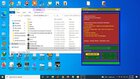
Driver Install X64, X86
Erase FRP
Format DATA
AUTH Bypass
Safe Format [MISC, PARA]
Permanently Unlock
MI Account Bypass
Erase FRP (Samsung)
Bootloader Unlock, Relock
Changelog!!!
- All MTK Device
- Fastboot All Device
- Samsung Frp - ADB : Android 7,8,9,10,11,12 (Exynos-Mtk-Qualcomm)
SAM-FRP:
►IMPORTANT
The device must be in Test Mode.
Click Emergency Call Section, then call
*#0*# Wait until the TestMode display appears
►SERVICE
→ Device state in TestMode
→ Connect the USB cable from the PC to the device
→ Click the SCAN PORT, until the driver is detected
→ Click the ENABLE ADB, to activate Adb
→ If there is a notification on the Device Screen, press Yes/OK
►ERASE FRP
→ Erase FRP can be done in two ways
→ Erase FRP By Shell (Erase Frp via Adb shell)
→ Erase FRP By Files (Erase FRP via ADB file)
paki test nalang may isa tech naka subok neto
https://www.antgsm.com/forum/threads/samsung-a02-frp-done-via-st-mtk-universal.227752/
pass: softwarecrackguru
https://mega.nz/file/duwWjJ5C#oU89lIGbB4ET2f-Cbh0CLge-4-sU2VHgQ-sYdsZB1O8
https://drive.google.com/u/0/uc?id=1fDdxpgNqyCxkSjSj1eUCJ07a8FkAN2iB&export=download
Driver Install X64, X86
Erase FRP
Format DATA
AUTH Bypass
Safe Format [MISC, PARA]
Permanently Unlock
MI Account Bypass
Erase FRP (Samsung)
Bootloader Unlock, Relock
Changelog!!!
- All MTK Device
- Fastboot All Device
- Samsung Frp - ADB : Android 7,8,9,10,11,12 (Exynos-Mtk-Qualcomm)
SAM-FRP:
►IMPORTANT
The device must be in Test Mode.
Click Emergency Call Section, then call
*#0*# Wait until the TestMode display appears
►SERVICE
→ Device state in TestMode
→ Connect the USB cable from the PC to the device
→ Click the SCAN PORT, until the driver is detected
→ Click the ENABLE ADB, to activate Adb
→ If there is a notification on the Device Screen, press Yes/OK
►ERASE FRP
→ Erase FRP can be done in two ways
→ Erase FRP By Shell (Erase Frp via Adb shell)
→ Erase FRP By Files (Erase FRP via ADB file)