How to download Official Windows OS from Microsoft
1. Go to Windows 10 download page in Chrome.
2. Press F12.
3. Click
4. Click Network Conditions.
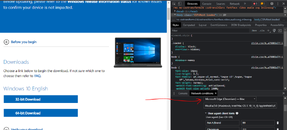
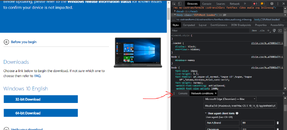
5. Under Network Conditions. Scroll down under User Agent. Uncheck User browser default.
6. Then select Microsoft Edge (Chromium) - Mac
7. Refresh the Chrome Browser.
8 Now you can download the ISO files.
This site uses cookies to help personalise content, tailor your experience and to keep you logged in if you register.
By continuing to use this site, you are consenting to our use of cookies.