
TUTORIAL
How To Use Piranha,Dragon,Miracle Box And Others Crack Software In Usb Mode?
This Tutorial For The Beginners Also...
First Of All Before You Do Any Illegal Or Legal Action Disable Your Anti Virus... )
)
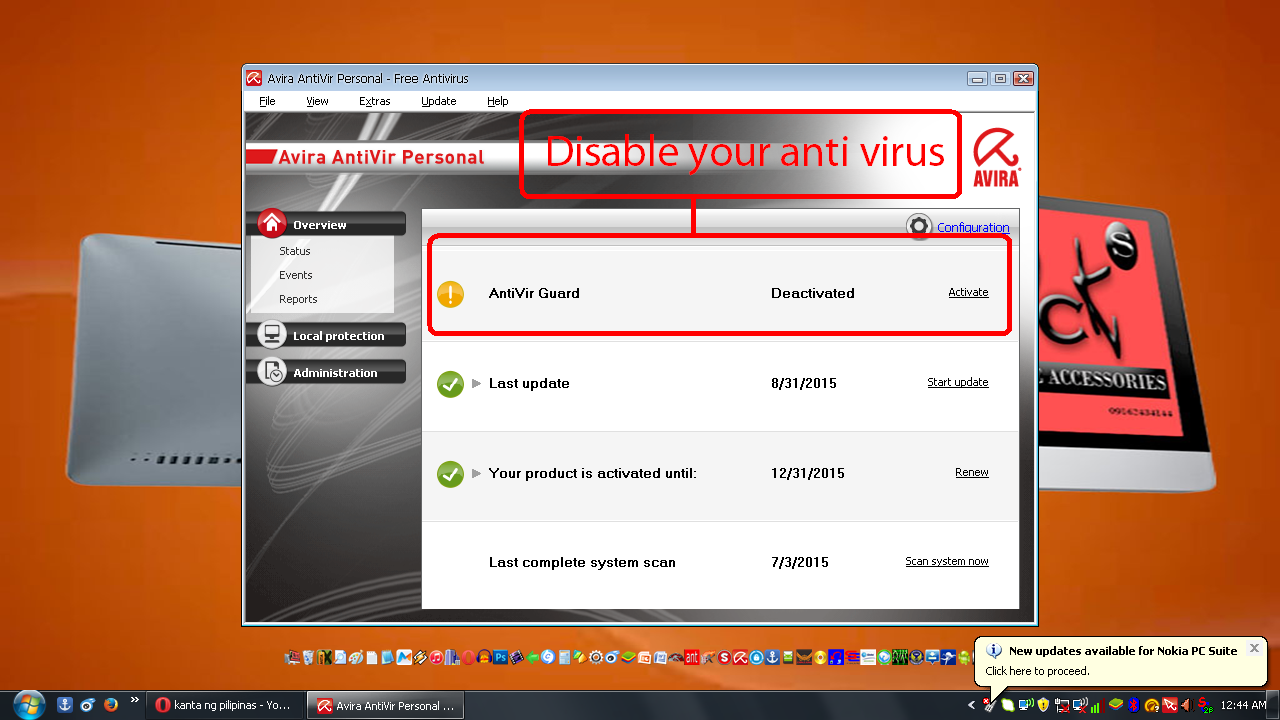
PIRANHA CRACK
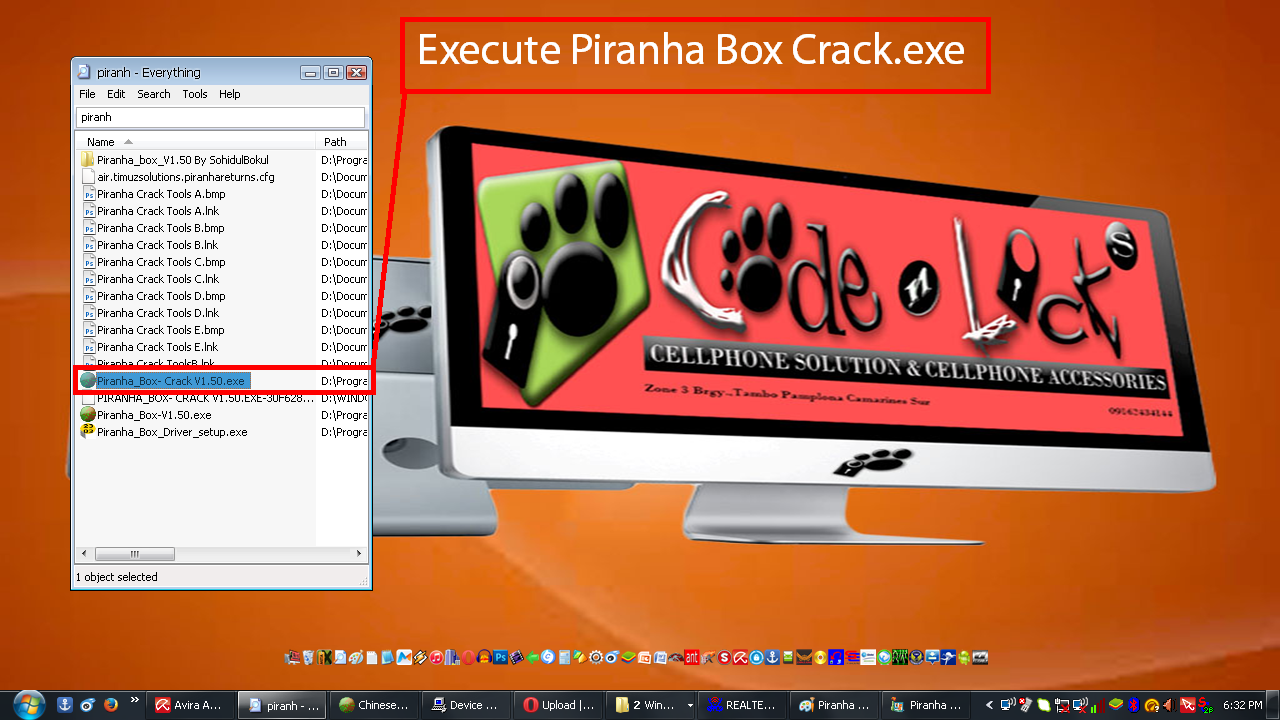
1st Execute Your Piranha Crack.Exe
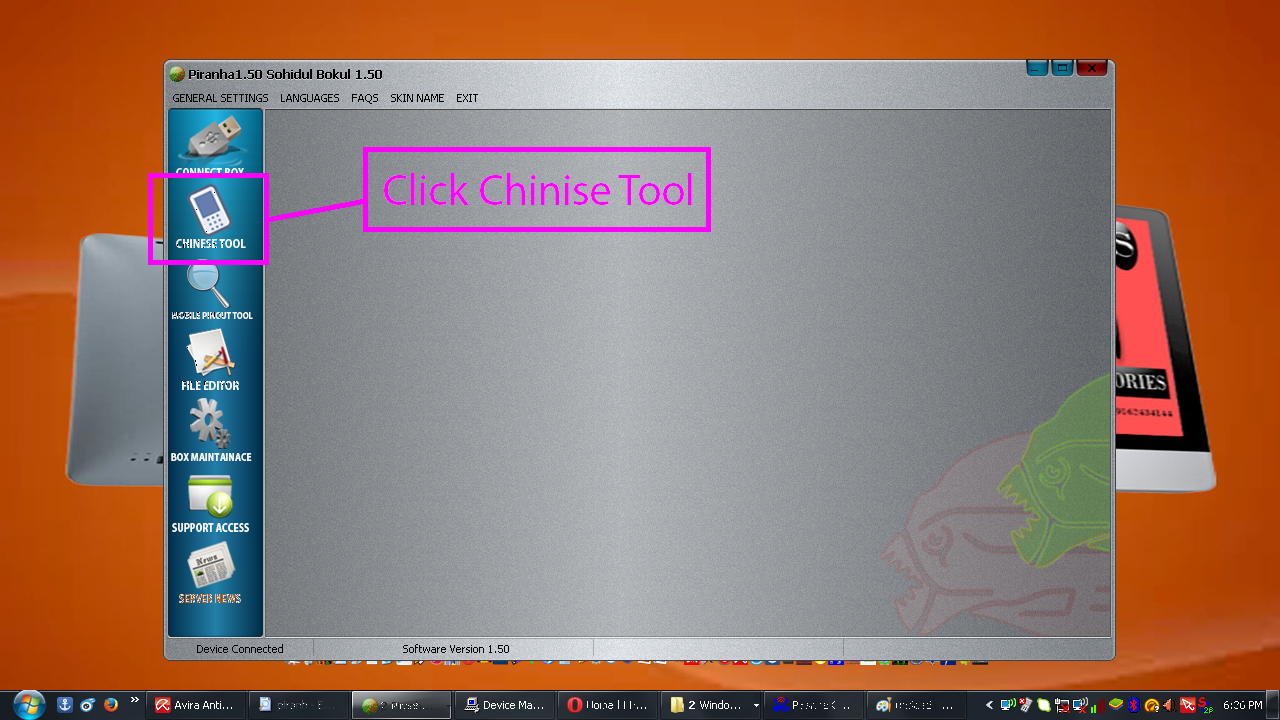
2nd Click Chinese Tools
3rd Choose Of The Following Cpu Type
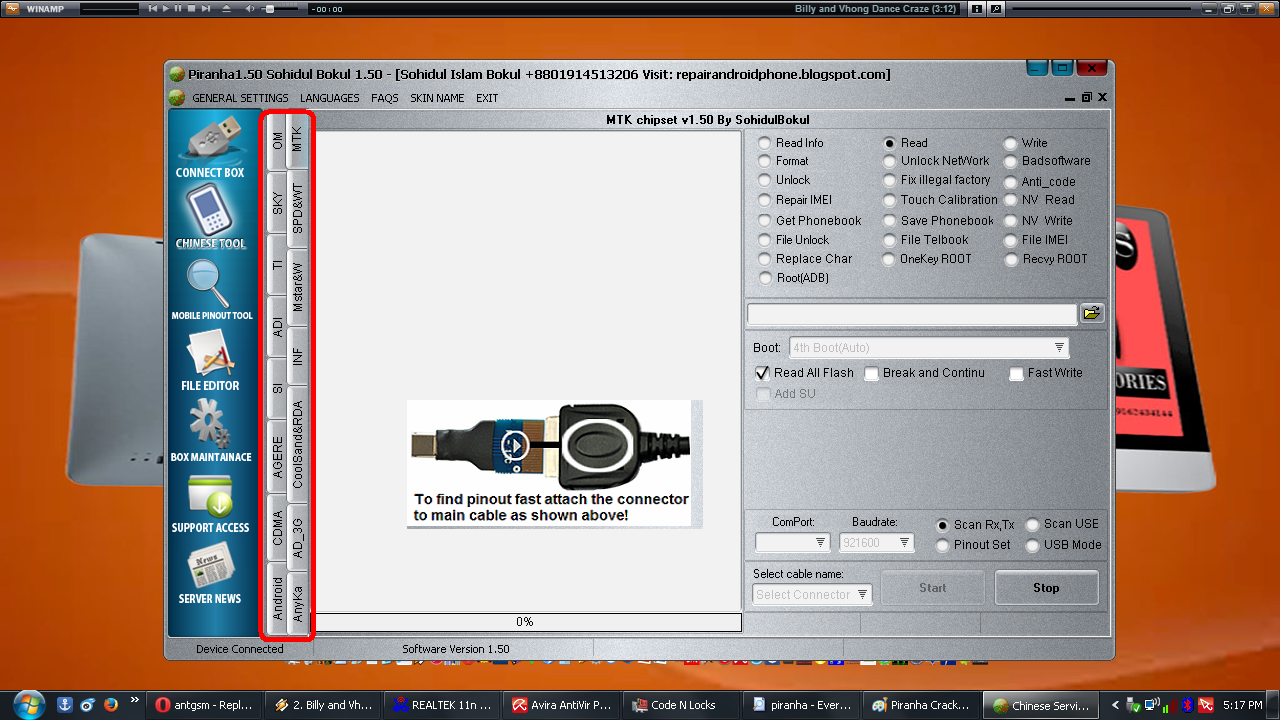
Example For Cherry Mobile B8 Spd 6531
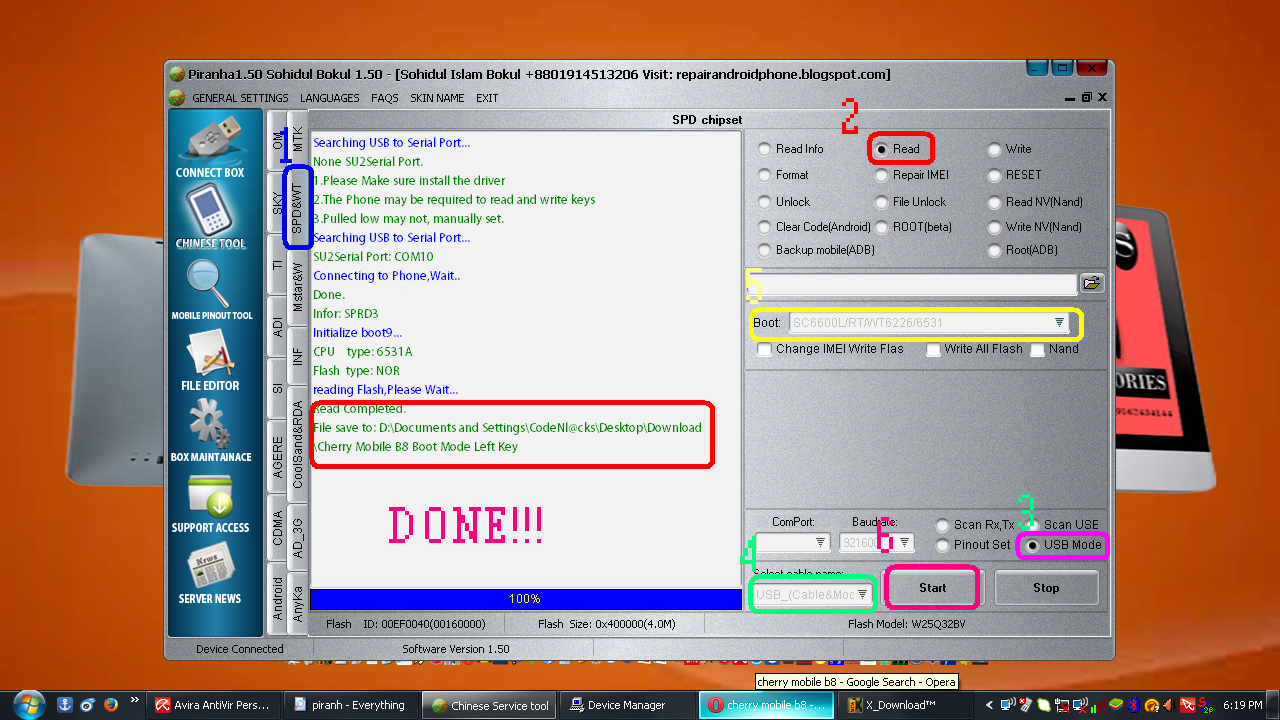
Tick Spd&Wt,Read,Usb Mode,Usb (Cable&Mode),Boot And
select SC6800L/RT/WT6226/6531,Insert Your Micro Usb On A Phone,
Press Boot Mode Like Images Below And Click Start
And Insert The Battery Wait Until Your Phone Recognize And Your Done!!!...
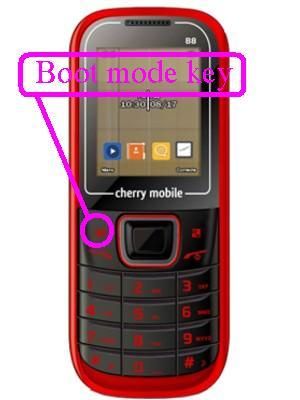
TECKY/DRAGON CRACK SOFTWARE
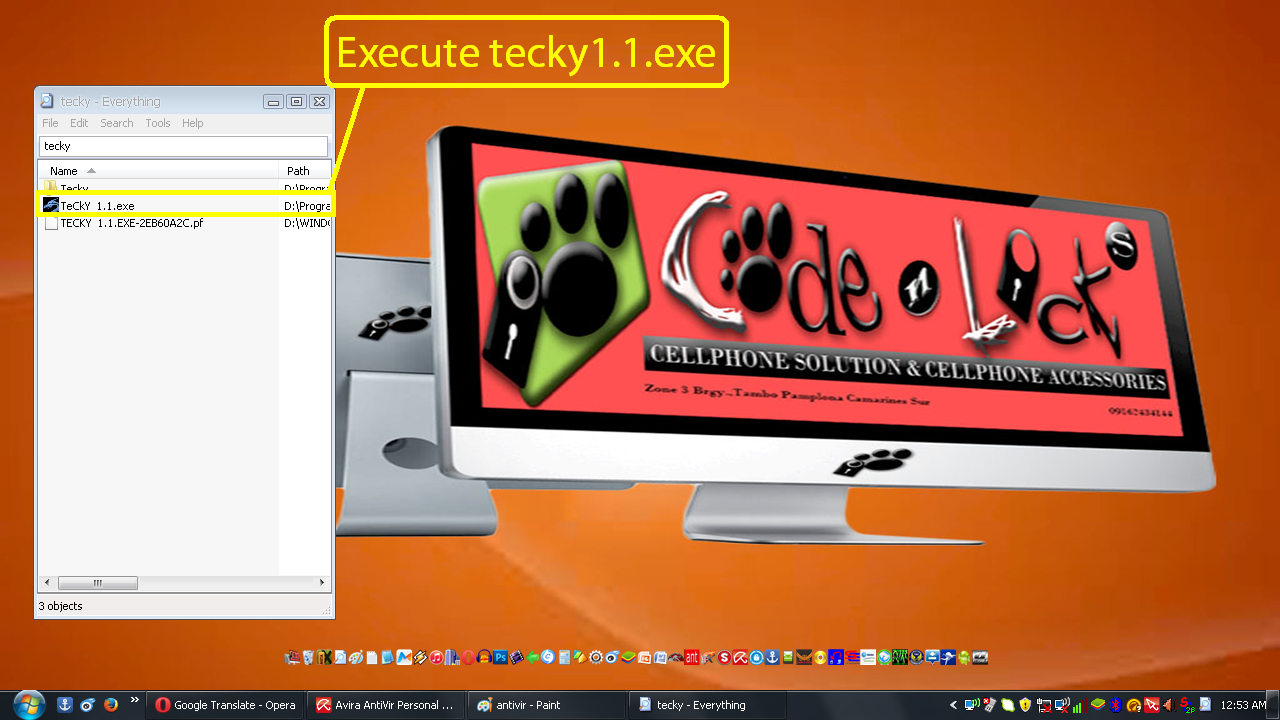
1st Execute Your Dragon Crack
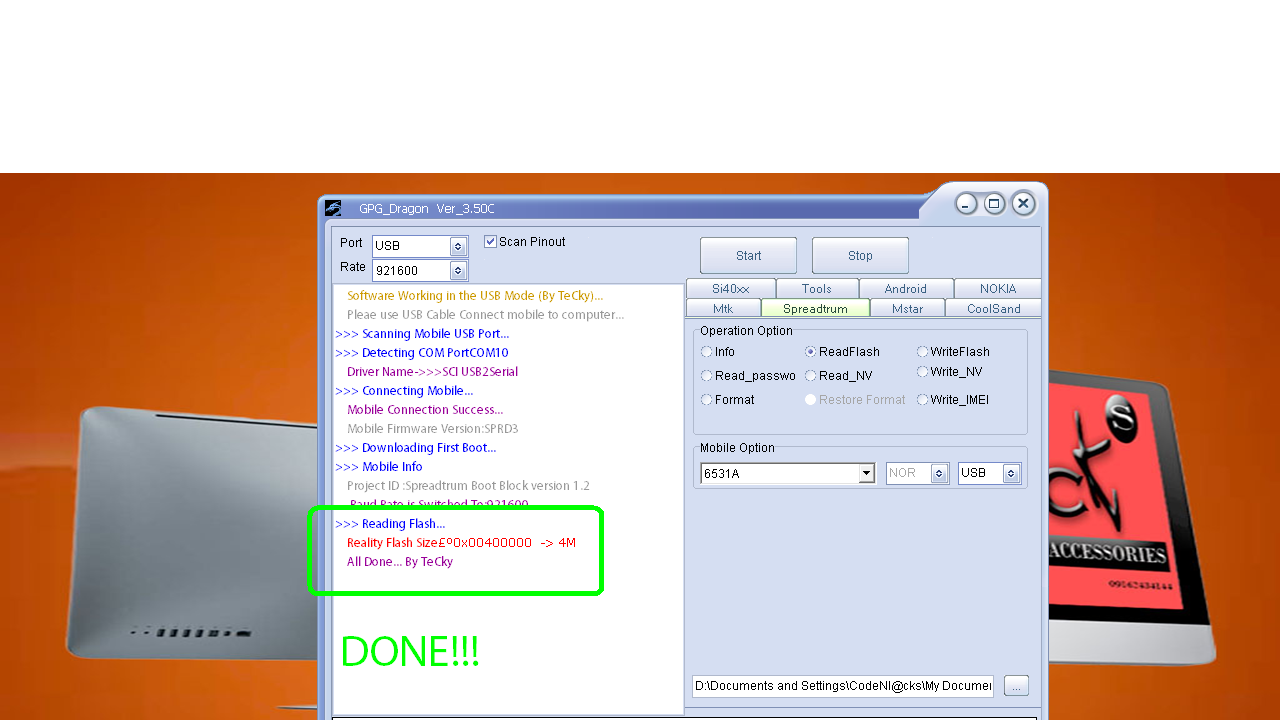
2nd Click Spreadtrum,Read flash,Mobile Option Set In 6531A,Usb Mode.
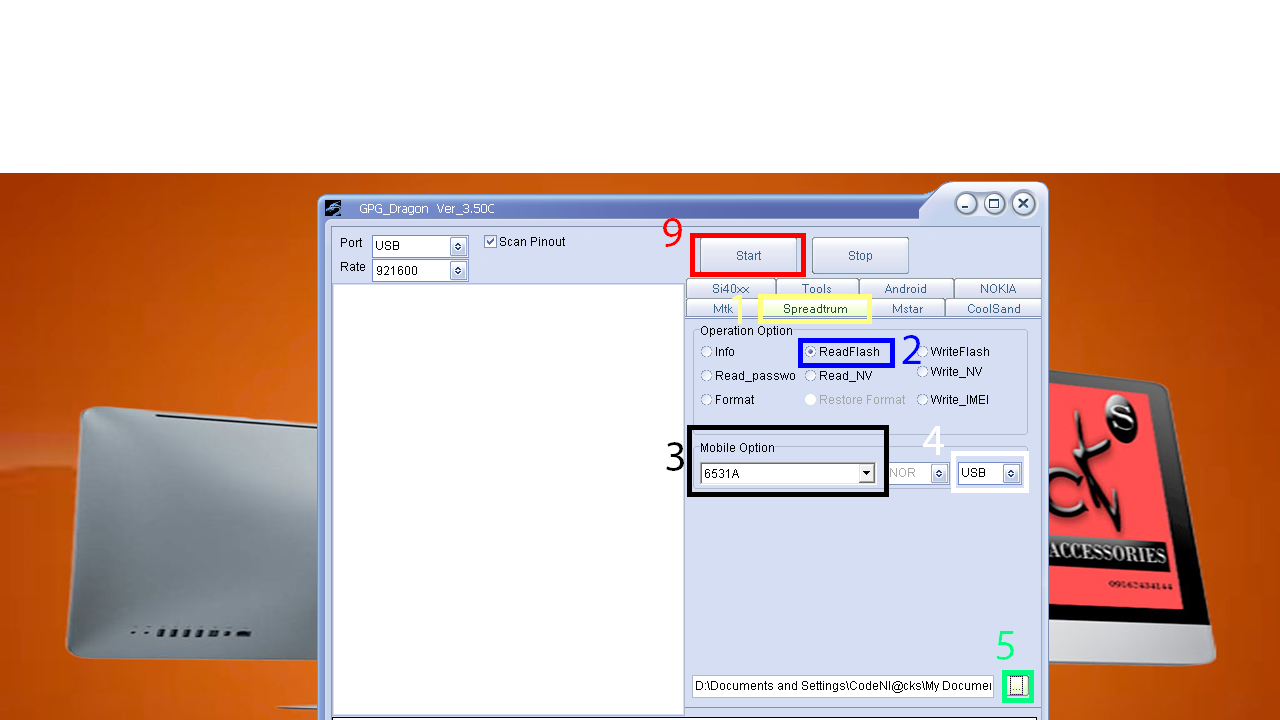
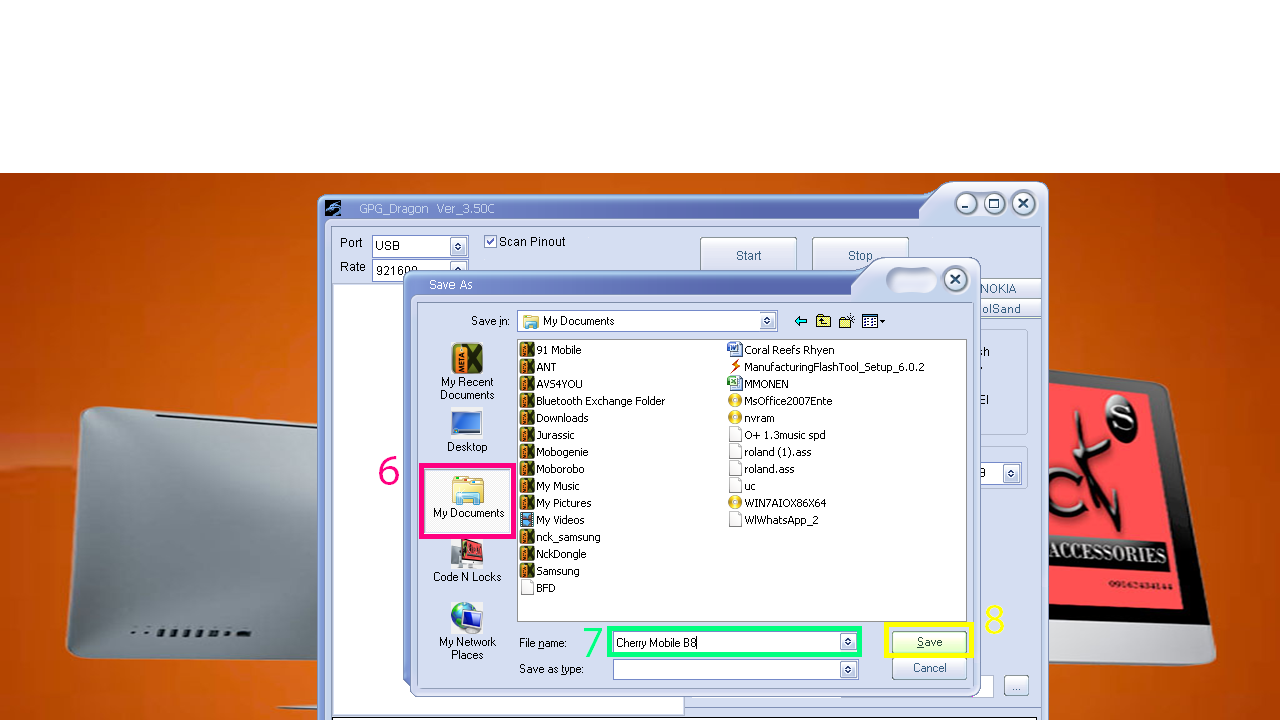
3rd Browse To Save your Back Up To Do.For Me I Choose In My Documents.
Click Start And Insert Your Micro Usb On Your Phone,
Press Boot Mode And Insert Your Battery Wait Until
Your Phone Recognize And Your Done!!!
MIRACLE BOX CRACK
1st Execute Your Miracle Box Crack.Exe
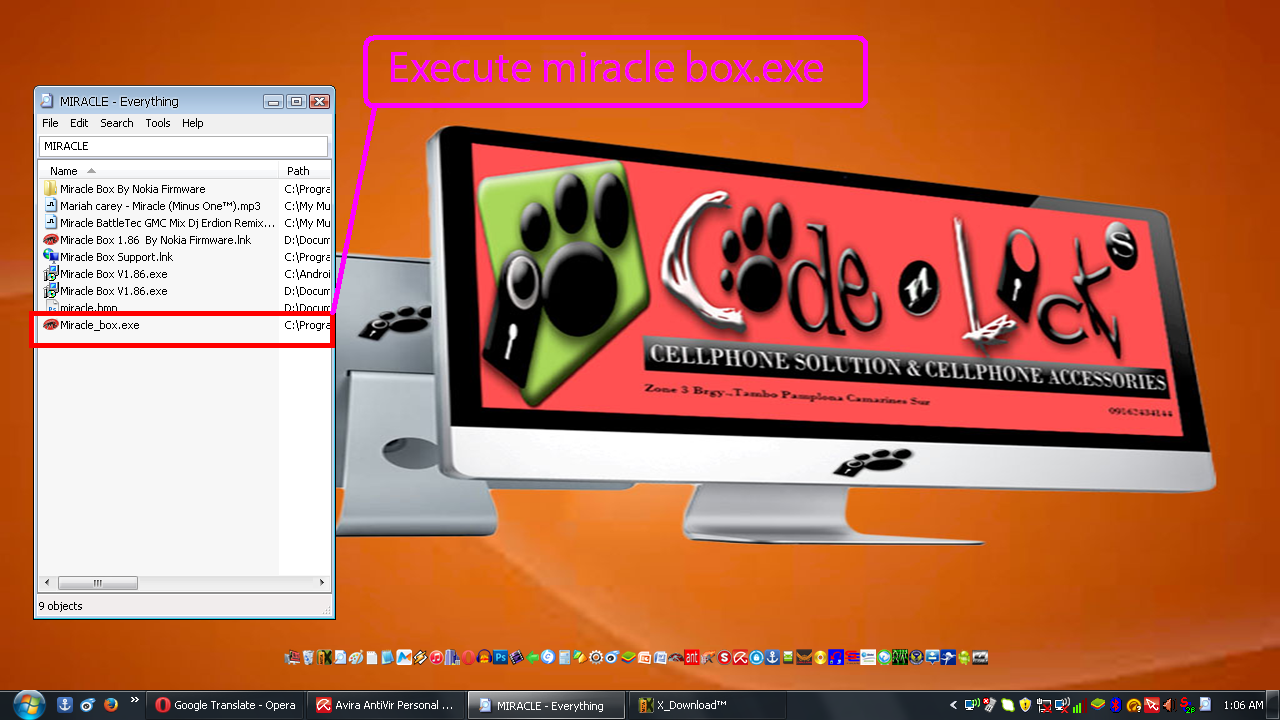
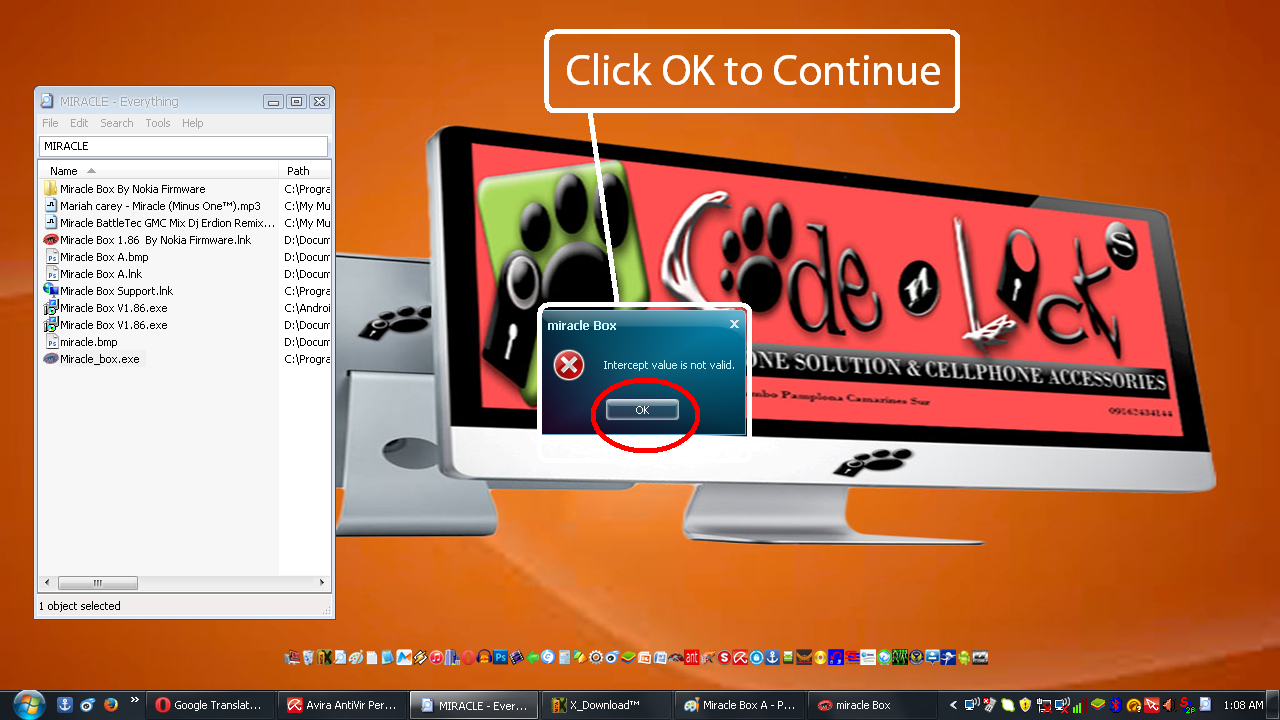
2nd Click Ok To Continue...
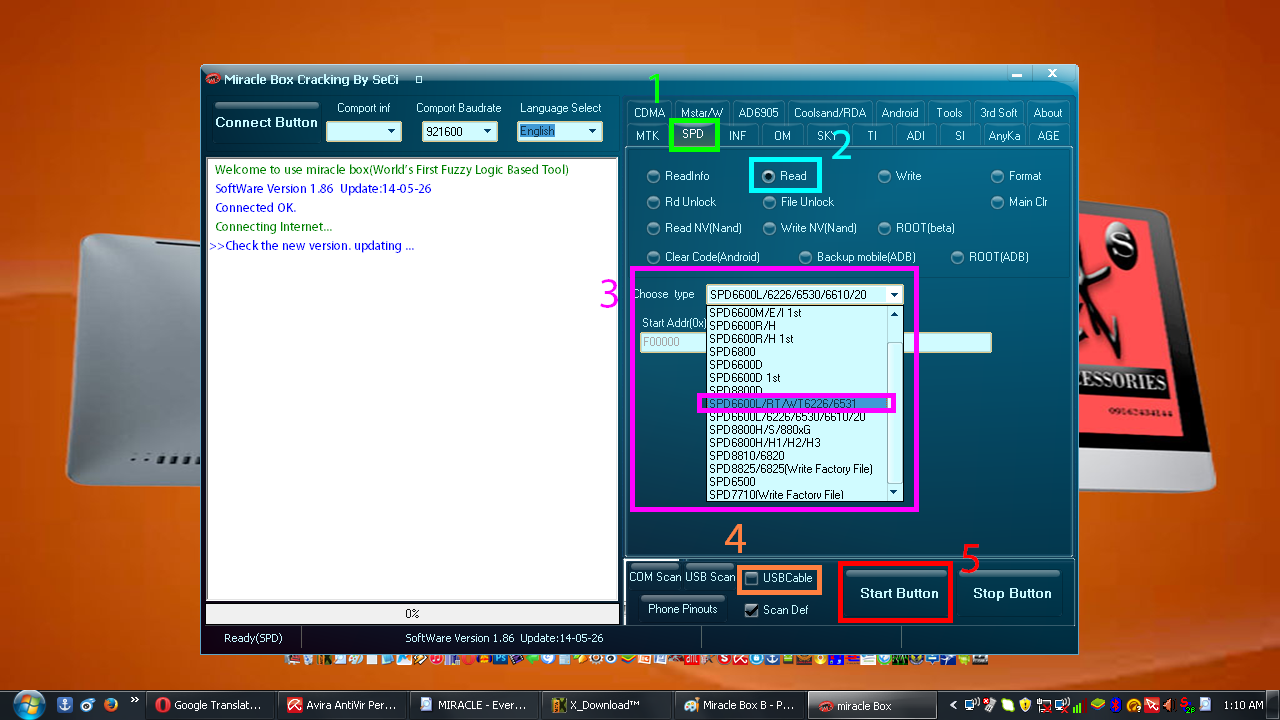
3rd Click SPD,Read,Choose Type And Set SPD 6600L/RT/WT6226/6531,
Tick Usbcable,Click Start And Insert Your Micro Usb On Your Phone,
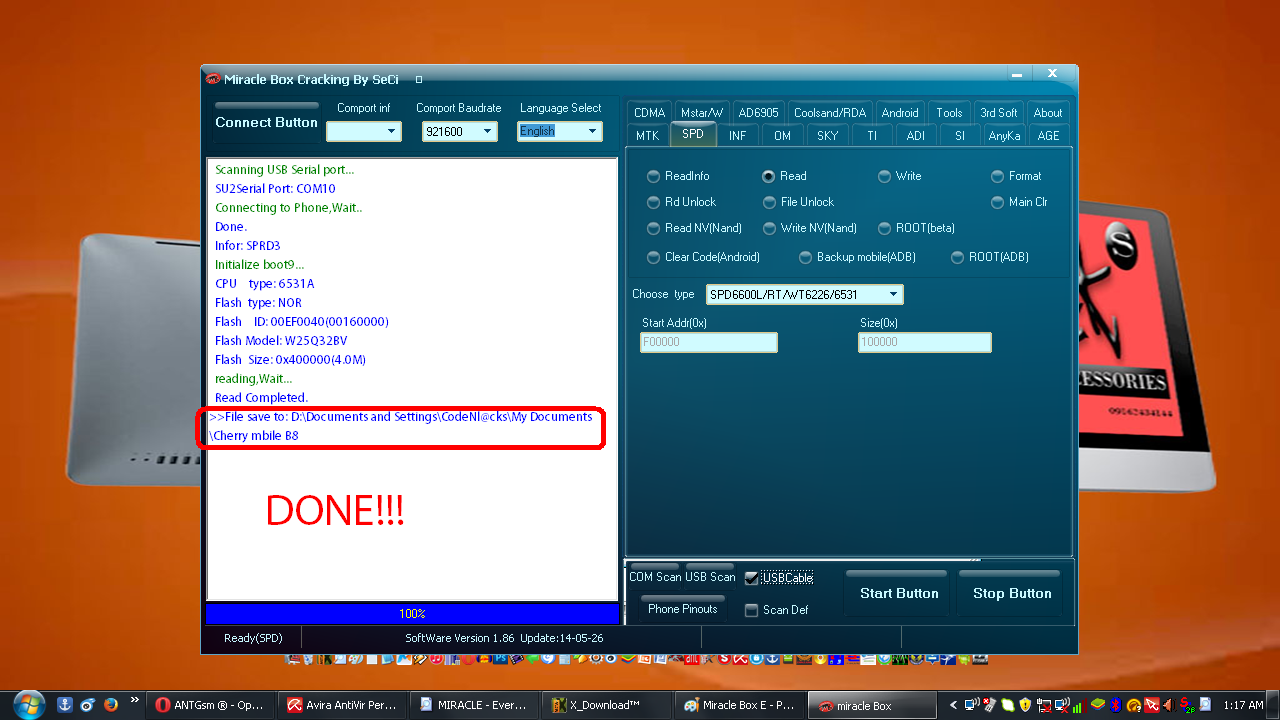
Press Boot Mode And Insert Your Battery Wait Until
Your Phone Recognize And Your Done!!!
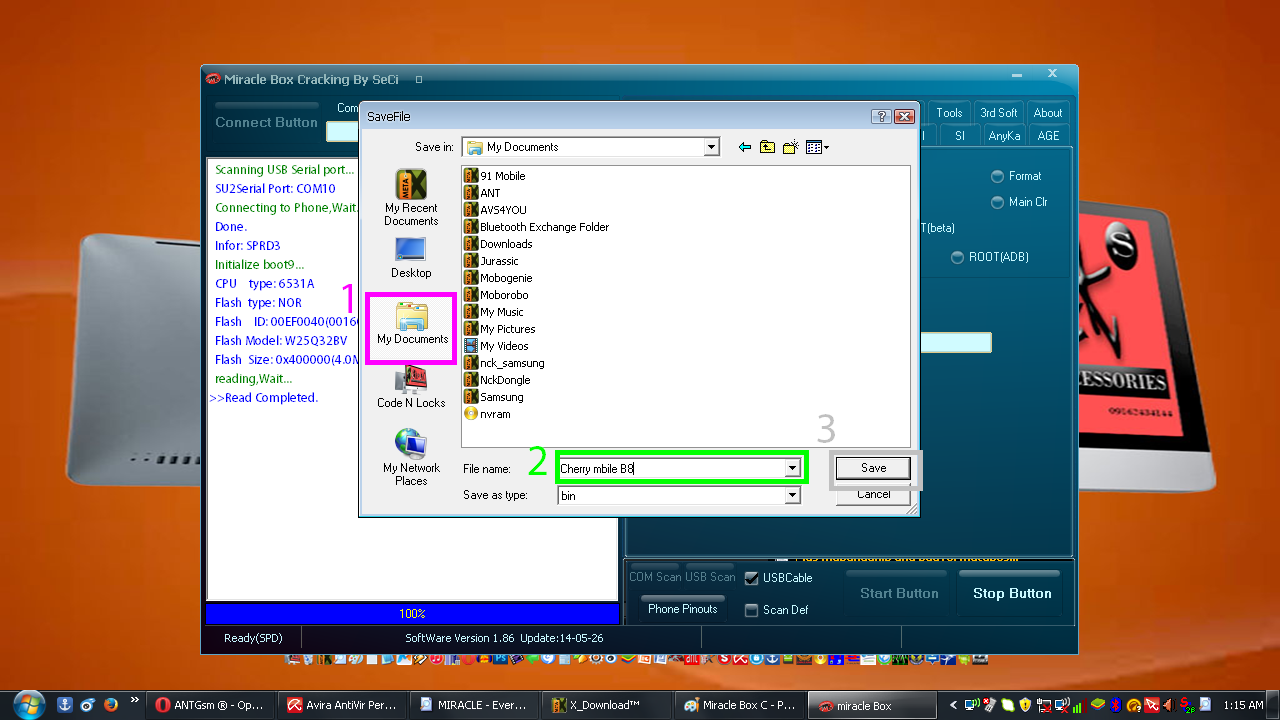
4th Save Your Files In Any Folders You Want...

How To Use Piranha,Dragon,Miracle Box And Others Crack Software In Usb Mode?
This Tutorial For The Beginners Also...
First Of All Before You Do Any Illegal Or Legal Action Disable Your Anti Virus...
)
PIRANHA CRACK
1st Execute Your Piranha Crack.Exe

2nd Click Chinese Tools

3rd Choose Of The Following Cpu Type

Example For Cherry Mobile B8 Spd 6531

Tick Spd&Wt,Read,Usb Mode,Usb (Cable&Mode),Boot And
select SC6800L/RT/WT6226/6531,Insert Your Micro Usb On A Phone,
Press Boot Mode Like Images Below And Click Start
And Insert The Battery Wait Until Your Phone Recognize And Your Done!!!...

TECKY/DRAGON CRACK SOFTWARE
1st Execute Your Dragon Crack

2nd Click Spreadtrum,Read flash,Mobile Option Set In 6531A,Usb Mode.

3rd Browse To Save your Back Up To Do.For Me I Choose In My Documents.
Click Start And Insert Your Micro Usb On Your Phone,
Press Boot Mode And Insert Your Battery Wait Until
Your Phone Recognize And Your Done!!!


MIRACLE BOX CRACK
1st Execute Your Miracle Box Crack.Exe

2nd Click Ok To Continue...

3rd Click SPD,Read,Choose Type And Set SPD 6600L/RT/WT6226/6531,
Tick Usbcable,Click Start And Insert Your Micro Usb On Your Phone,
Press Boot Mode And Insert Your Battery Wait Until
Your Phone Recognize And Your Done!!!

4th Save Your Files In Any Folders You Want...


