
1.download this 3 files QFIL,DRIVER & LOADER file
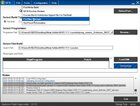
2. open QFIL and click Flat build and browse LOADER file
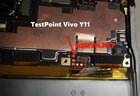
3.baklas unit connect usb via TP
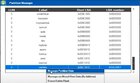
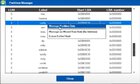
4.click Tools and select Partition Manager
5.right click userdata, Manage partition then ERASE to removed password/pin and CLOSE
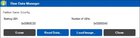
6.right click config, Manage partition then ERASE to removed FRP and CLOSE
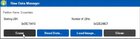
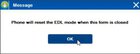
7.CLOSE again then OK
8.clear all data
DONE ! ! !
2. open QFIL and click Flat build and browse LOADER file
3.baklas unit connect usb via TP
4.click Tools and select Partition Manager
5.right click userdata, Manage partition then ERASE to removed password/pin and CLOSE
6.right click config, Manage partition then ERASE to removed FRP and CLOSE
7.CLOSE again then OK
8.clear all data
DONE ! ! !