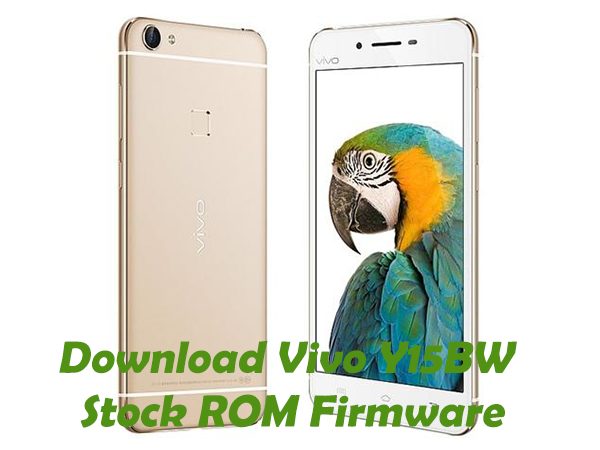
Download Vivo Y15BW Firmware
Stock ROM File Name: Vivo_Y15bw_PD1304BW_EX_A_2.5.1MT6582_r2186-MOLY.WR8.W1315.MD.WG.MP.V11.P19.zip
Stock ROM File Size: 888 MB
Android OS Version: 4.4.2
link:https://stockromfiles.com/vivo-y15bw-firmware/
Stock ROM File Name: Vivo_Y15bw_PD1304BW_EX_A_2.5.1MT6582_r2186-MOLY.WR8.W1315.MD.WG.MP.V11.P19.zip
Stock ROM File Size: 888 MB
Android OS Version: 4.4.2
link:https://stockromfiles.com/vivo-y15bw-firmware/
[
url=https://postimages.org/]
 [/url]
How To Flash Stock ROM Firmware On Vivo Y15BW
Step 1: Download the stock ROM zip file given above and extract it on your computer. You will find SP flash tool and Android scatter file after extracting.
How To Flash Stock ROM Firmware On Vivo Y15BW
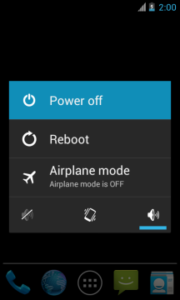
Step 2: Next, switch off your Vivo Y15BW smartphone and remove the battery (it is removable).
power-off-android
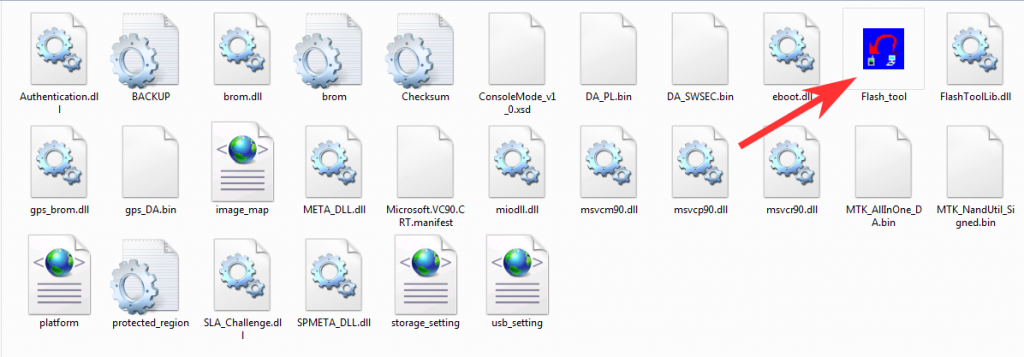
Step 3: Now go to the extracted folder in Step 1 and open up the SP Flash Tool sub-folder. You will find “Flash_tool.exe†file in it. Launch it.
stock-rom-flash-process
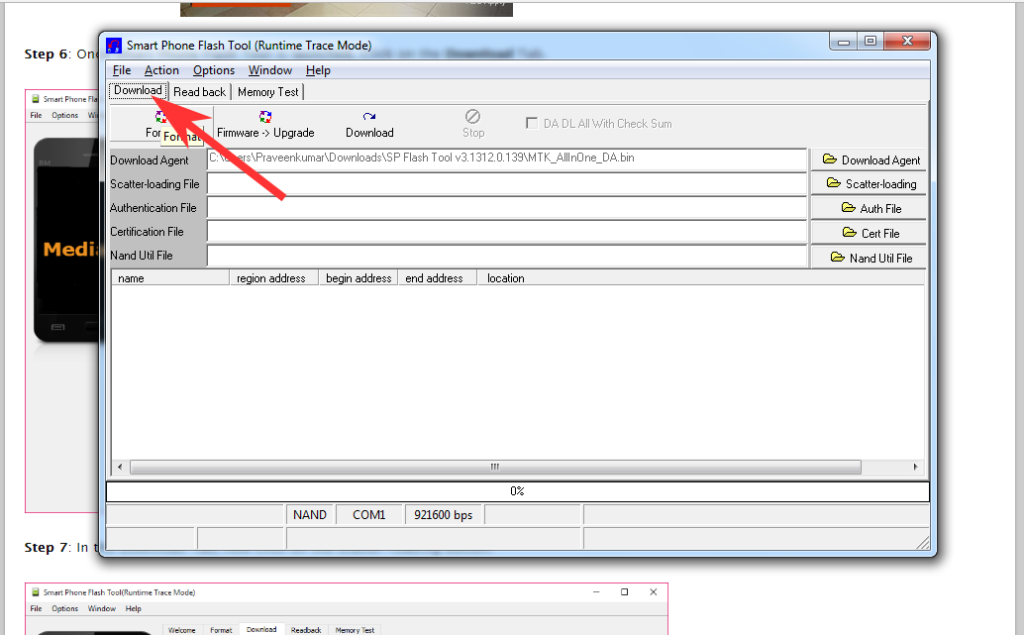
Step 4: Once SP Flash tool is launched, click on “Download†tab.
stock-rom-flash-process-2
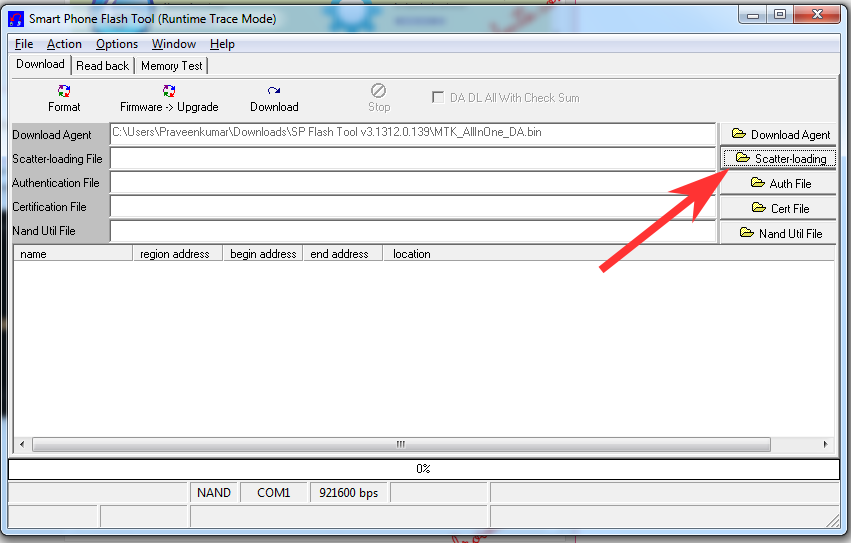
Step 5: Now, click on “scatter-loading†button in the download tab.
stock-rom-flash-process-3
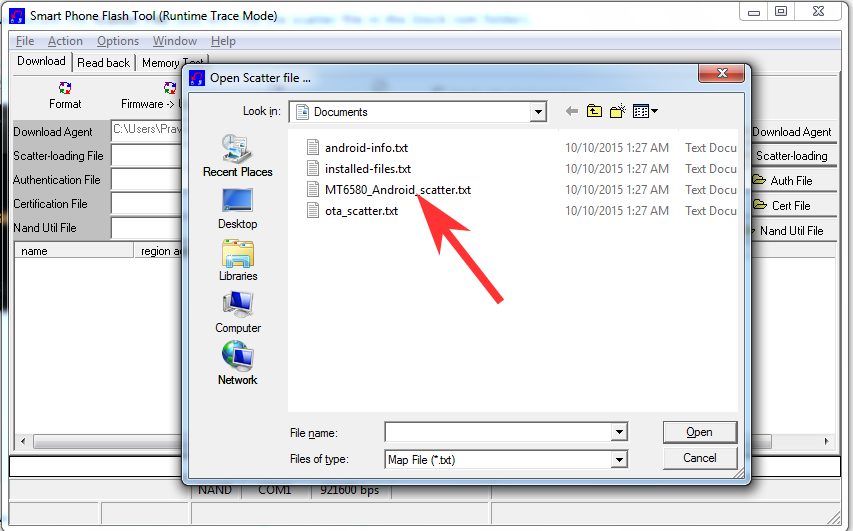
Step 6: Next, click on “Open Scatter File†and select the scatter file from Step 1. For reference see the image given below.
stock-rom-flash-process-4
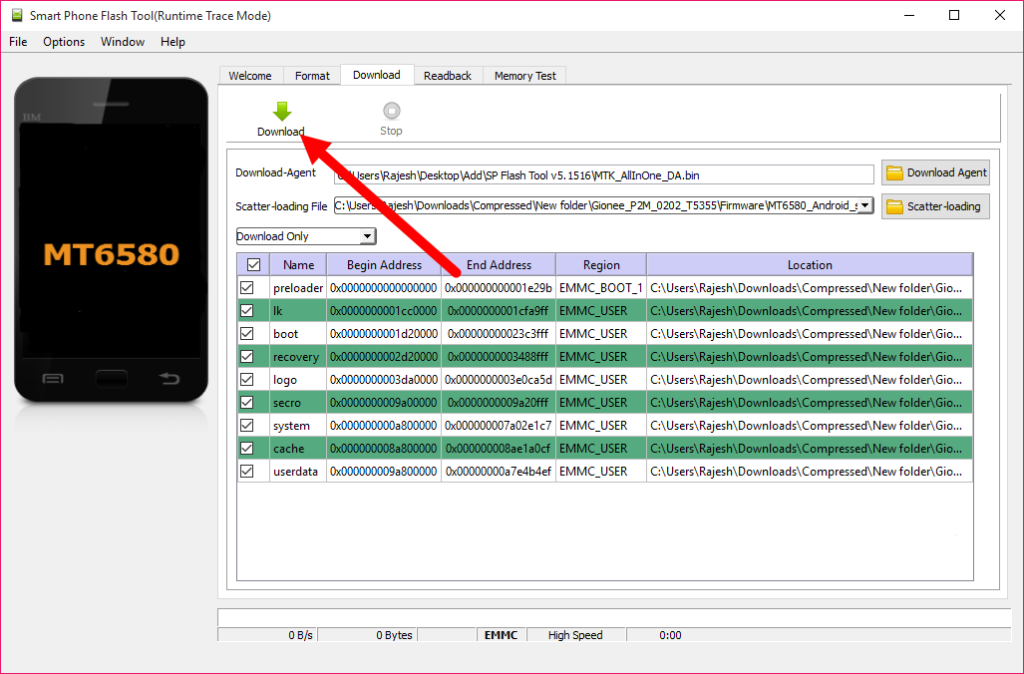
Step 7: Now click on the “Download†button to start the flashing process.
stock-rom-flash-process-5
Step 8: Next, connect your Vivo Y15BW Android device to your computer through original USB cable (without battery – if it is battery removable) and press volume up or volume down button.
Step 9: The flashing process will begin momentarily and it will get completed in a minute or two. Once it is over, you will see the “Download OK†green ring in SP Flash Tool.
download-ok-green-ring
Step 10: Now, close SP Flash tool on your computer and unplug your smartphone.