
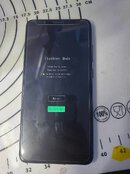
issue: Hanggang system repair mode lang
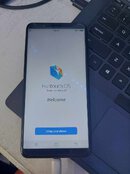
Solution: Install update via sd card (see pictures below)
1. download from this link:
https://www.vivo.com/ph/support/upgradePackageData?id=67
2. DON'T EXTRACT just copy to memory card (at least 32gb) then insert to the phone
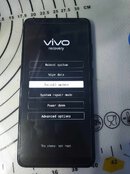
2. Power off. Press volume and up and power button.
3. Select recovery mode.
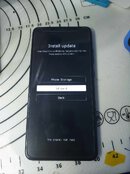
4. Select install update then select SD Card
5. Select the file you downloaded.
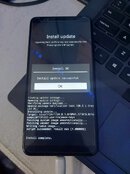
5. Wait untill done. Connect to internet and skip google account. Enjoy !
Solution: Install update via sd card (see pictures below)
1. download from this link:
https://www.vivo.com/ph/support/upgradePackageData?id=67
2. DON'T EXTRACT just copy to memory card (at least 32gb) then insert to the phone
2. Power off. Press volume and up and power button.
3. Select recovery mode.
4. Select install update then select SD Card
5. Select the file you downloaded.
5. Wait untill done. Connect to internet and skip google account. Enjoy !