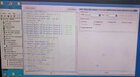
PROCEDURE
1-OPEN MRT_V5.52
2-SELECT XIAOMI(REDMI)
3-SELECT MODEL POCO_M3
4-SELECT REMOVE ACCOUNT THEN BAKLASIN NA C UNIT PARA SA TEST POINT PARA MA DETECT NG PC
THEN CLICK START WAIT TEL COMPLETED
SS


>>>>automatically Identifying Mobile Port...
Get Mobile Port: COM23
>>>>Reading Mobile Hardware Info...
CPU_SN: 0xA1A79B2F
MSM_ID: 0x0014D0E1
>>>Trying Connect Mobile...
>>>>Loading cloud resources...
Remote resource packet size:257 kb
download bootload success!!!
>>>>Switch Mobile to re/wr mode...Success
Flash Type: UFS
CPU Type: 0
>>>>Reading Mobile GPT Block Data <physical 0 >...Success
>>>>Reading Mobile GPT Block Data <physical 1 >...Success
>>>>Reading Mobile GPT Block Data <physical 2 >...Success
>>>>Reading Mobile GPT Block Data <physical 3 >...Success
>>>>Reading Mobile GPT Block Data <physical 4 >...Success
Eraseing Block frp
ADD:0x0000098000 Size:0x0000080000
Success
>>>>Loading cloud resources...
Remote resource packet size:45 kb
loading file : note9_persist.bin
>>>>Write partition: persist
Write File>>>note9_persist.bin
FileSize: 0x2000000Success
>>>>Read partition: modem
Save File path>>>temp
Partition Size: 0xC000000Success
>>>>Write partition: modem
Write File>>>temp
FileSize: 0xC000000Success
>>>>Rebooting...
Rebooting Mobile...
operation completed!!!
SALAMAT SA POST NI IDOL
repairman
https://www.antgsm.com/forum/threads/mrt-key-latest-version-update.226801/
NAGAMIT ULIT C MRT KEY
SANA MAKATOLONG SALAMAT MORE POWER ANTGSM
1-OPEN MRT_V5.52
2-SELECT XIAOMI(REDMI)
3-SELECT MODEL POCO_M3
4-SELECT REMOVE ACCOUNT THEN BAKLASIN NA C UNIT PARA SA TEST POINT PARA MA DETECT NG PC
THEN CLICK START WAIT TEL COMPLETED
SS
>>>>automatically Identifying Mobile Port...
Get Mobile Port: COM23
>>>>Reading Mobile Hardware Info...
CPU_SN: 0xA1A79B2F
MSM_ID: 0x0014D0E1
>>>Trying Connect Mobile...
>>>>Loading cloud resources...
Remote resource packet size:257 kb
download bootload success!!!
>>>>Switch Mobile to re/wr mode...Success
Flash Type: UFS
CPU Type: 0
>>>>Reading Mobile GPT Block Data <physical 0 >...Success
>>>>Reading Mobile GPT Block Data <physical 1 >...Success
>>>>Reading Mobile GPT Block Data <physical 2 >...Success
>>>>Reading Mobile GPT Block Data <physical 3 >...Success
>>>>Reading Mobile GPT Block Data <physical 4 >...Success
Eraseing Block frp
ADD:0x0000098000 Size:0x0000080000
Success
>>>>Loading cloud resources...
Remote resource packet size:45 kb
loading file : note9_persist.bin
>>>>Write partition: persist
Write File>>>note9_persist.bin
FileSize: 0x2000000Success
>>>>Read partition: modem
Save File path>>>temp
Partition Size: 0xC000000Success
>>>>Write partition: modem
Write File>>>temp
FileSize: 0xC000000Success
>>>>Rebooting...
Rebooting Mobile...
operation completed!!!
SALAMAT SA POST NI IDOL
repairman
https://www.antgsm.com/forum/threads/mrt-key-latest-version-update.226801/
NAGAMIT ULIT C MRT KEY
SANA MAKATOLONG SALAMAT MORE POWER ANTGSM