Xiaomi Redmi 5A Miui9 Flash File

How to Flash Xiaomi Redmi 5A Miui9:
Download Xiaomi Redmi 5A Miui9 Flash File
1- Connect phone through USB cable to PC and unplug battery.
2- Short Test Point and connect battery.
3- Under Device Manger, port of Qualcomm HS USB QLoader 9008 port will appear.
4- Download & run MI Flash Tool
5- Place the Flash File on Desktop.
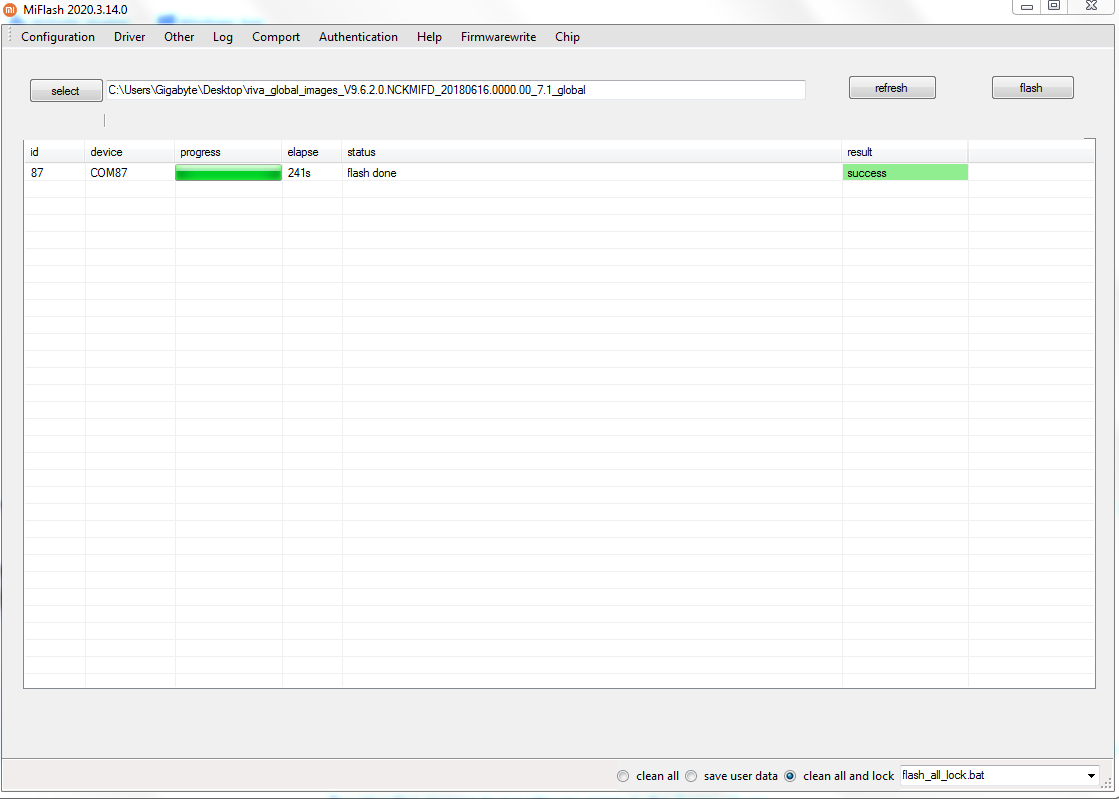
6- Assign the Folder path.
7- Click on refresh & then tap Flash button.
passreported
- riva_global_images_V9.6.2.0.NCKMIFD_20180616.0000.00_7.1_global
- riva_global_images_V9.1.6.0.NCKMIEI_20171121.0000.00_7.1_global
- Xiaomi Flash tool
How to Flash Xiaomi Redmi 5A Miui9:
Download Xiaomi Redmi 5A Miui9 Flash File
1- Connect phone through USB cable to PC and unplug battery.
2- Short Test Point and connect battery.
3- Under Device Manger, port of Qualcomm HS USB QLoader 9008 port will appear.
4- Download & run MI Flash Tool
5- Place the Flash File on Desktop.
6- Assign the Folder path.
7- Click on refresh & then tap Flash button.
passreported