REFERENCE Xiaomi Redmi note 7 Disabled Mi account done using iBypasser Android -No relock

artimatrix

Registered
Joined
May 2, 2022
Messages
13
Reaction score
19
Points
1
Location
Mindanao
Steps
1.Open iBypasser Android
2.Find redmi note 7 (lavender) in Xiaomi tab
3.Choose Edl | Disabled Mi Account [2]
4.Wait for console to say ,waiting for devices
5.Connect Mobile using testpoint
6.wait for it to finish then remove cable
finishing process.
Salpak battery turn on the device and your done the device should not be relock after the process

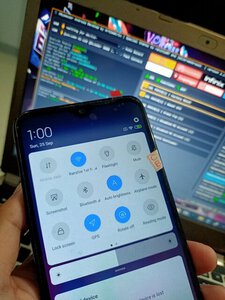
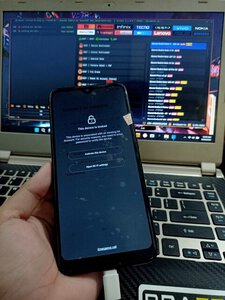
ProofIMG20220925003510.jpgIMG20220925010029.jpg
 
Hello! My name is Galen and I'm happy to be at pinoytechnician.com. I was born in Italy but now I'm a student at the Worcester Polytechnic Institute.
I'm normally an industrious student but this term I had to go abroad to visit my relatives. I knew I wouldn’t have time to finish my thesis, so I’ve found the best solution to my problem - essay writing service ESSAYERUDITE.COM
I had to order my paper, as I was pressed for time to finish it myself. I chose EssayErudite as my thesis writing service because it’s respected and has a lot of experience in this market.
I received my order on time, with proper style and formatting. (thesis, 50 pages, 3 days, PhD)
I never thought it could be possible to order thesis from an online writing service. But I tried it, and it was successful!
I would certainly advise this essay writing service to all my friends ;)
 
Who read this thread (Total readers: 0)
No registered users viewing this thread.
Back
Top