What's new
PinoyTechnician

This is a sample guest message. Register a free account today to become a member! Once signed in, you'll be able to participate on this site by adding your own topics and posts, as well as connect with other members through your own private inbox!

REFERENCE Oppo A5s pattern & Frp

jexanvil

Chapter Leader
Joined
Sep 14, 2018
Messages
99
Reaction score
137
Points
201
Location
Bagong Silang Caloocan City
Tools :
Octoplus FRP Tool v2.1.2.0


Procedures:
  1. Device Vendor : OPPO
  2. Device Model : A5s (CPH1909)
  3. Power Off phone , Press Vol+ and Vol- at the same time then insert usb cable then press Factory Reset (Method 1).
  4. Wait until the phone reboots. Then dial *#813# on emergency call. Press Setup phone then wait until its done.
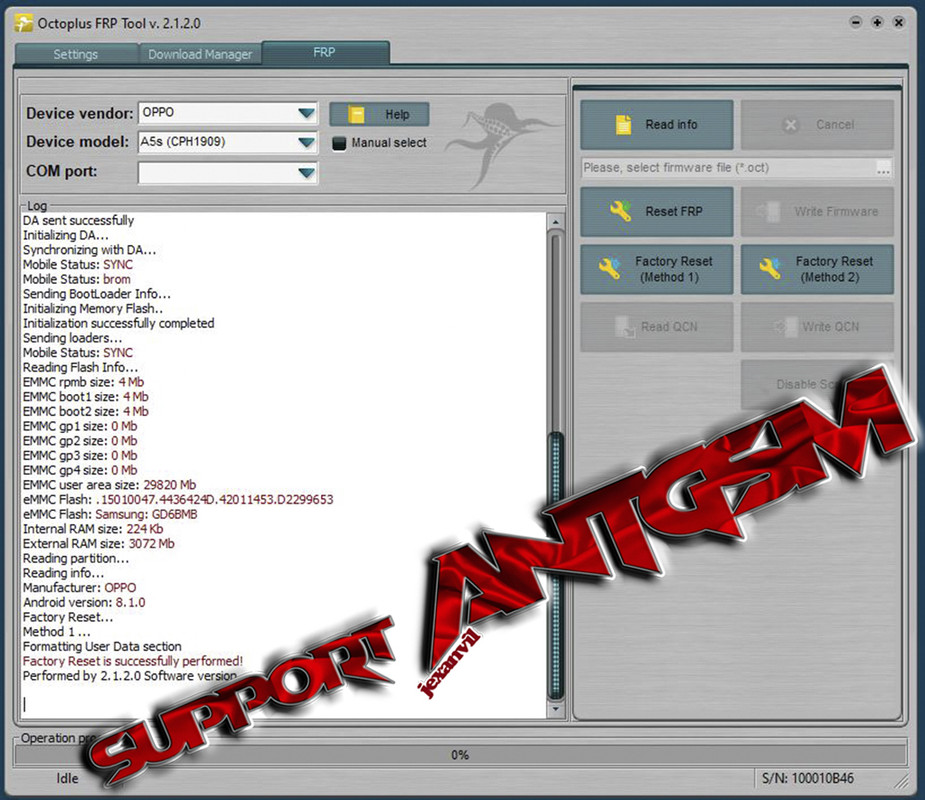
    ss1.jpg
 

Attachments

  • ss1.jpg
    ss1.jpg
    52.6 KB · Views: 26
  • ss2.jpg
    ss2.jpg
    72.9 KB · Views: 14
Last edited:
Back
Top