What's new
PinoyTechnician

This is a sample guest message. Register a free account today to become a member! Once signed in, you'll be able to participate on this site by adding your own topics and posts, as well as connect with other members through your own private inbox!

REFERENCE Redmi 10 (21061119AG)Frp Lock Remove via UnlockTool

ELFIE2027

Premium Account
Joined
Apr 26, 2021
Messages
359
Reaction score
873
Points
91
Location
1919 sagrada familia st.sta ana manila
1.Open UnlockTool
2,Select Brand MI
3,Search Xiaomi Redmi 10 I 10 Prime brom
4, off Phone then press & hold volume up and power for recovery and choose the (Connect with MIAssistant) and Connect usb cable
5.Go to UT, Select: RECOVERY and Click [SIDELOAD] ERASE FRP and wait it finish
view My SS
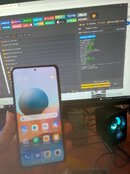
20231106_192730.jpg
20231106_192910.jpg
20231106_192913.jpg
redmi 10.png
20231106_192810.jpg
20231106_192829.jpg
20231106_192838.jpg
 
1.Open UnlockTool
2,Select Brand MI
3,Search Xiaomi Redmi 10 I 10 Prime brom
4, off Phone then press & hold volume up and power for recovery and choose the (Connect with MIAssistant) and Connect usb cable
5.Go to UT, Select: RECOVERY and Click [SIDELOAD] ERASE FRP and wait it finish
view My SS
View attachment 29867
View attachment 29871
View attachment 29872
View attachment 29873
View attachment 29868
View attachment 29869
View attachment 29870
Working pa din siguro 5 minutes hininta ko lang matapos
 
Back
Top