intoy

Site Owner
Staff member
Joined
Jun 12, 2014
Messages
5,123
Reaction score
7,703
Points
541
Location
iLoilo City
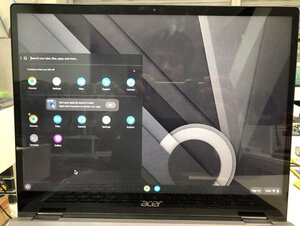
Acer Chromebook Spin 713
Procedure:

Read bios chip
from dump file find decode thru hxD
control F type devmode under Text-string tab
change the value
and do the same with enrollment

then save as clean.bin
Done
flash the clean.bin to bios chip
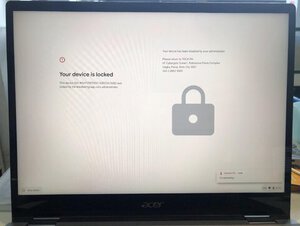
2022_09_14_17_12_IMG_0016.JPG

Viola
2022_09_14_21_44_IMG_0024.JPG


Link for usb installer guide
https://support.google.com/chromeosflex/answer/11541904
 
Last edited:
Hard reset your Chromebook
For most Chromebooks, follow the steps below:

  1. Turn off your Chromebook.
  2. Press and hold Refresh
    3XKnstOuiq5G1zw_fiVWq18N1Q5nBcmrj9-Yqq5hYeFnD7XkMAWpAwBo12CpF098UJc=w36-h36
    + tap Power
    kAHr8vumwhvtDC2Hym0l6uYOS4noMZmy0I4VPBqehXM93XkSJtkz4P0RE-BOs8hoZA=w36
    .
  3. When your Chromebook starts up, release Refresh
    3XKnstOuiq5G1zw_fiVWq18N1Q5nBcmrj9-Yqq5hYeFnD7XkMAWpAwBo12CpF098UJc=w36-h36
    .
On tablets: Press the Volume Up and Power buttons for at least 10 seconds, then release them.
 
Factory reset your Chromebook
  1. Sign out of your Chromebook.
  2. Press and hold Ctrl + Alt + Shift + r.
  3. Select Restart.
  4. In the box that appears, select Powerwash
    and then
    Continue.
  5. Follow the steps that appear and sign in with your Google Account.
    Note: The account you sign in with after you reset your Chromebook will be the owner account.
  6. Once you've reset your Chromebook:
 
Who read this thread (Total readers: 0)
No registered users viewing this thread.
Back
Top