What's new
PinoyTechnician

This is a sample guest message. Register a free account today to become a member! Once signed in, you'll be able to participate on this site by adding your own topics and posts, as well as connect with other members through your own private inbox!

PREMIUM Chromebook your device locked

intoy

Site Owner
Staff member
Joined
Jun 12, 2014
Messages
5,114
Reaction score
7,647
Points
541
Location
iLoilo City
Acer Chromebook Spin 713
Procedure:

Read bios chip
from dump file find decode thru hxD
control F type devmode under Text-string tab
change the value
and do the same with enrollment

then save as clean.bin
Done
flash the clean.bin to bios chip
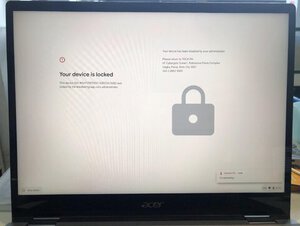
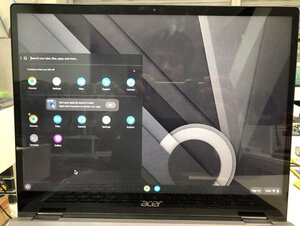
2022_09_14_17_12_IMG_0016.JPG

Viola
2022_09_14_21_44_IMG_0024.JPG


Link for usb installer guide
https://support.google.com/chromeosflex/answer/11541904
 
Last edited:
Hard reset your Chromebook
For most Chromebooks, follow the steps below:

  1. Turn off your Chromebook.
  2. Press and hold Refresh
    3XKnstOuiq5G1zw_fiVWq18N1Q5nBcmrj9-Yqq5hYeFnD7XkMAWpAwBo12CpF098UJc=w36-h36
    + tap Power
    kAHr8vumwhvtDC2Hym0l6uYOS4noMZmy0I4VPBqehXM93XkSJtkz4P0RE-BOs8hoZA=w36
    .
  3. When your Chromebook starts up, release Refresh
    3XKnstOuiq5G1zw_fiVWq18N1Q5nBcmrj9-Yqq5hYeFnD7XkMAWpAwBo12CpF098UJc=w36-h36
    .
On tablets: Press the Volume Up and Power buttons for at least 10 seconds, then release them.
 
Factory reset your Chromebook
  1. Sign out of your Chromebook.
  2. Press and hold Ctrl + Alt + Shift + r.
  3. Select Restart.
  4. In the box that appears, select Powerwash
    and then
    Continue.
  5. Follow the steps that appear and sign in with your Google Account.
    Note: The account you sign in with after you reset your Chromebook will be the owner account.
  6. Once you've reset your Chromebook:
 
Back
Top